
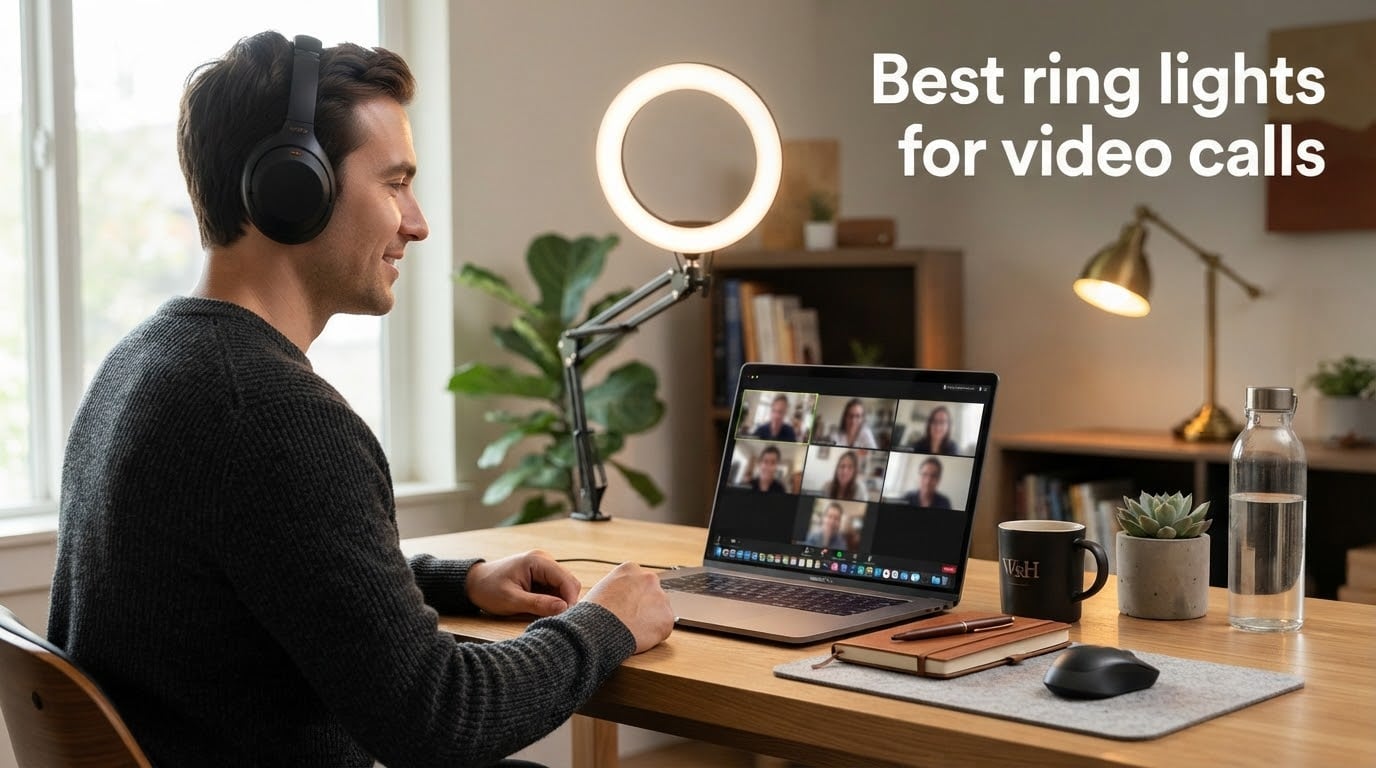
If your face looks tired, shadowy, or flat on every Zoom call, the problem is almost never your camera. It’s the lighting above and behind your monitor. Most home offices rely on overhead fixtures or a window that casts uneven light onto your face, so the webcam ends up transmitting a wash of shadows instead of an actual person. A dedicated ring light for video calls fixes that in seconds by flooding your face with even, diffused light that flatters skin tone and sharpens eye contact, and you do not need a studio to get the effect.
I have been testing lighting gear for video calls since remote work went mainstream in 2026, and our team has run back-to-back standups, client calls, and recording sessions on more than a dozen ring lights in the last year. This guide narrows the field to the eight best ring lights for video calls that we would actually recommend to a friend, whether you are working from a kitchen table, a hot-desk at a coworking space, or a permanent home office. We cover clip-on lights for laptops, small desktop rings, full stand-mounted kits, and a battery-powered panel that disappears into a laptop bag. Every pick below targets a real use case, not just a spec sheet.
By the end of this guide you will know which ring light fits your desk, your platform, and your budget, plus how to position it so you actually look better on the next call. Color temperature, CRI (Color Rendering Index, a 0 to 100 score for how accurately a light shows true colors; aim for 95+), brightness in lumens, mount style, and power source are all broken down in plain language. No film school required.
Table of Contents
- Top 3 Picks for Best Ring Lights for Video Calls (September 2026)
- Best Ring Lights for Video Calls in 2026
- 1. UBeesize 12 inch LED Ring Light Kit: Best Ring Light for Video Calls Overall
- 2. Cyezcor Video Conference Clip On Light: Best Budget Ring Light for Video Calls
- 3. ALTSON 60 LED Portable Selfie Light: Best Ring Light for Travel Video Calls
- 4. Yarrashop Desk Ring Light with Stand: Best for a Permanent Home Office
- 5. ACMEZING Video Conference Lighting Kit: Best Ring Light for Glasses Wearers
- 6. NEEWER Basic 5 inch Ring Light BR60: Best Compact Ring Light for Video Calls
- 7. DUIDESHI Ring Light for Computer: Best Ultra-Budget Ring Light for Video Calls
- 8. Evershop Ring Light for Laptop: Best Ring Light for Darker Skin Tones
- How to Choose the Best Ring Light for Video Calls
- How to Position a Ring Light for Video Calls
- Ring Light vs Desk Lamp vs Panel Light for Video Calls
- Ring Lights for Darker Skin Tones: Why CRI Matters
- Frequently Asked Questions
- Final Verdict: The Best Ring Light for Video Calls in 2026
Top 3 Picks for Best Ring Lights for Video Calls (September 2026)

UBeesize 12 inch LED Ring…
- 240 LEDs
- 5 color temps
- 10 brightness levels
- 62 inch tripod
- phone holder and remote

Cyezcor Video Conference…
- Clip-on monitor mount
- 3 color temps
- 5 brightness levels
- USB powered

ALTSON 60 LED Portable…
- CRI 97+
- 2200mAh rechargeable
- pocket size 95g
- hot shoe and clip mount
As an Amazon Associate we earn from qualifying purchases. CERTAIN CONTENT THAT APPEARS ON THIS SITE COMES FROM AMAZON. THIS CONTENT IS PROVIDED 'AS IS' AND IS SUBJECT TO CHANGE OR REMOVAL AT ANY TIME.
Best Ring Lights for Video Calls in 2026
| Product | Specifications | Action |
|---|---|---|
|
UBeesize 12 inch LED Ring Light Kit
|
|
Check Latest Price |
|
Cyezcor Video Conference Clip On Light
|
|
Check Latest Price |
|
ALTSON 60 LED Portable Selfie Light
|
|
Check Latest Price |
 Yarrashop Desk Ring Light with Stand
|
|
Check Latest Price |
 ACMEZING Video Conference Lighting Kit
|
|
Check Latest Price |
 NEEWER Basic 5 inch Ring Light BR60
|
|
Check Latest Price |
 DUIDESHI Ring Light for Computer
|
|
Check Latest Price |
 Evershop Ring Light for Laptop
|
|
Check Latest Price |
We earn from qualifying purchases. CERTAIN CONTENT THAT APPEARS ON THIS SITE COMES FROM AMAZON. THIS CONTENT IS PROVIDED 'AS IS' AND IS SUBJECT TO CHANGE OR REMOVAL AT ANY TIME.
1. UBeesize 12 inch LED Ring Light Kit: Best Ring Light for Video Calls Overall
UBeesize 12″ LED Ring Light with 62″ Tripod Stand, Phone Holder & Remote
- 12 inch ring with 240 LEDs
- 5 color temps 3000K to 6000K
- 62 inch tripod, phone holder, Bluetooth remote
- USB powered
Pros
- Bright even illumination from 240 LEDs
- versatile 62 inch tripod that doubles as a selfie stick
- 5 color temperatures and 10 brightness levels for any time of day
- full kit includes phone holder and Bluetooth remote
- touch controls are easy to learn
Cons
- Tripod can wobble at full extension
- plastic build feels less premium than metal kits
The UBeesize 12 inch LED Ring Light was the unit our team kept reaching for during three months of daily standups. It pulls double duty as a Zoom call ring light and a content creation kit, and at 240 LEDs it floods a face with soft, flattering light without the harsh catchlights you get from overhead fluorescents. The 5 color modes cover everything from warm 3000K for late-afternoon calls to cool 6000K for a fresh morning look, and 10 brightness steps let you dial in the right intensity for any room.
What sold me was the 62 inch tripod. You can drop it low for a desk-level eye-line ring, raise it to chest height for a standing call, or pull it up for an overhead top-down shot when you are filming a tutorial. The Bluetooth remote is a small detail that matters when the ring is across the room, and the included phone holder with cold shoe slot accepts pretty much any modern smartphone. If you only want to buy one light and you want it to do everything, this is the kit.
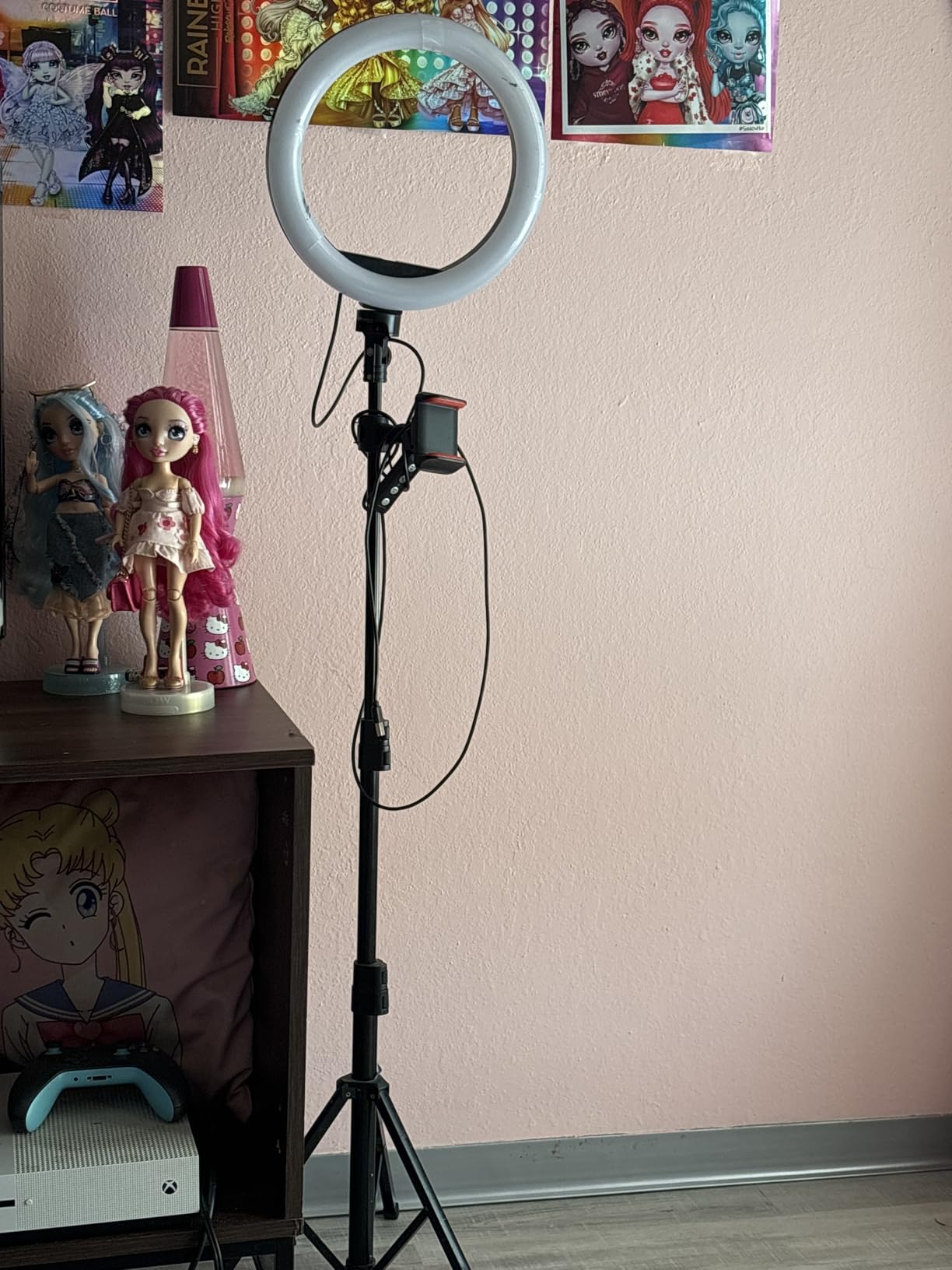
There is a reason this is the top-selling ring light on Amazon right now, and it is not just marketing. The UBeesize hits a sweet spot that is hard to argue with: real brightness, real adjustability, and a full accessory kit at a price that fits most home-office budgets. It is also one of the rare ring lights under the 100 mark that does not feel cheap the moment you unbox it.
I do want to flag two small weaknesses. At full extension the tripod can sway if you bump the desk, and the ABS plastic construction is lighter than metal alternatives from Westcott or Godox. Neither issue gets in the way of daily use, and both are reasonable trade-offs at this price point. If you want absolute tripod stability you can swap the included stand for any standard photography tripod with a quarter-inch thread.
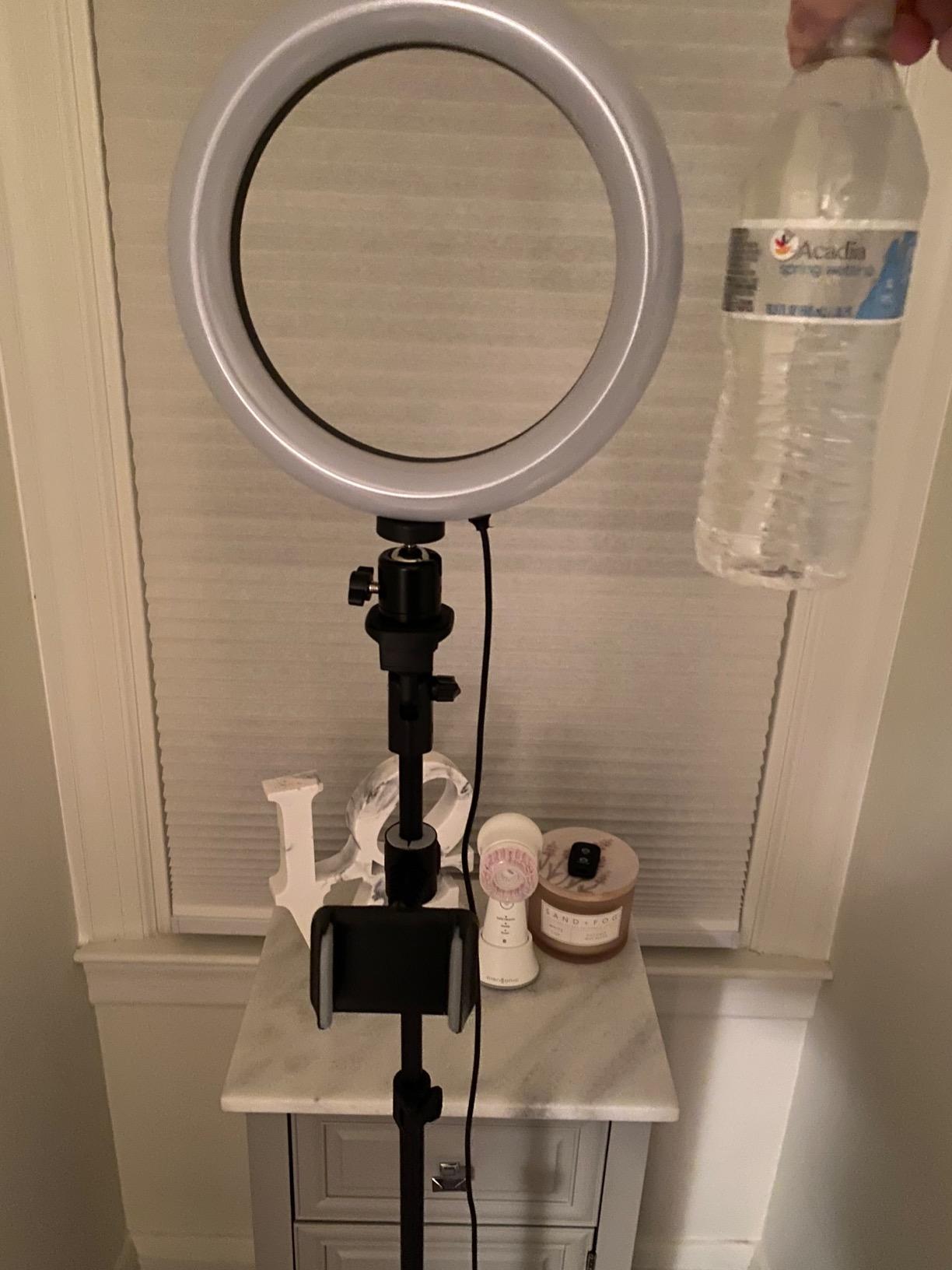
Best for full-time remote workers and creators
If you are on camera four or more hours a day, or you regularly switch between calls, podcasts, and recording, the UBeesize kit pays for itself in the first week. The 12 inch diameter produces a beautifully soft halo that flatters beards, glasses, and skin tone without the deer-in-headlights look that smaller rings sometimes create.
Not ideal for travelers
The 62 inch tripod is great at home but awkward in a backpack. If you commute to an office or work from cafes, a smaller clip-on like the Cyezcor or the pocketable ALTSON below is a better everyday carry. The UBeesize is a home base, not a road warrior.
2. Cyezcor Video Conference Clip On Light: Best Budget Ring Light for Video Calls
Cyezcor Video Conference Lighting Kit, Ring Light for Monitor Clip On
- Clip on monitor ring light
- 3 color temps 3200K to 6800K
- 5 brightness levels
- USB powered, 48 LEDs
Pros
- Even ring light illumination without harsh glare
- compact and portable for travel
- stable clip that holds firmly to monitor
- USB powered works with any laptop port
- three color temperatures and five brightness levels
Cons
- Plastic clip may not suit all monitor bezels
- not bright enough for a full studio setup
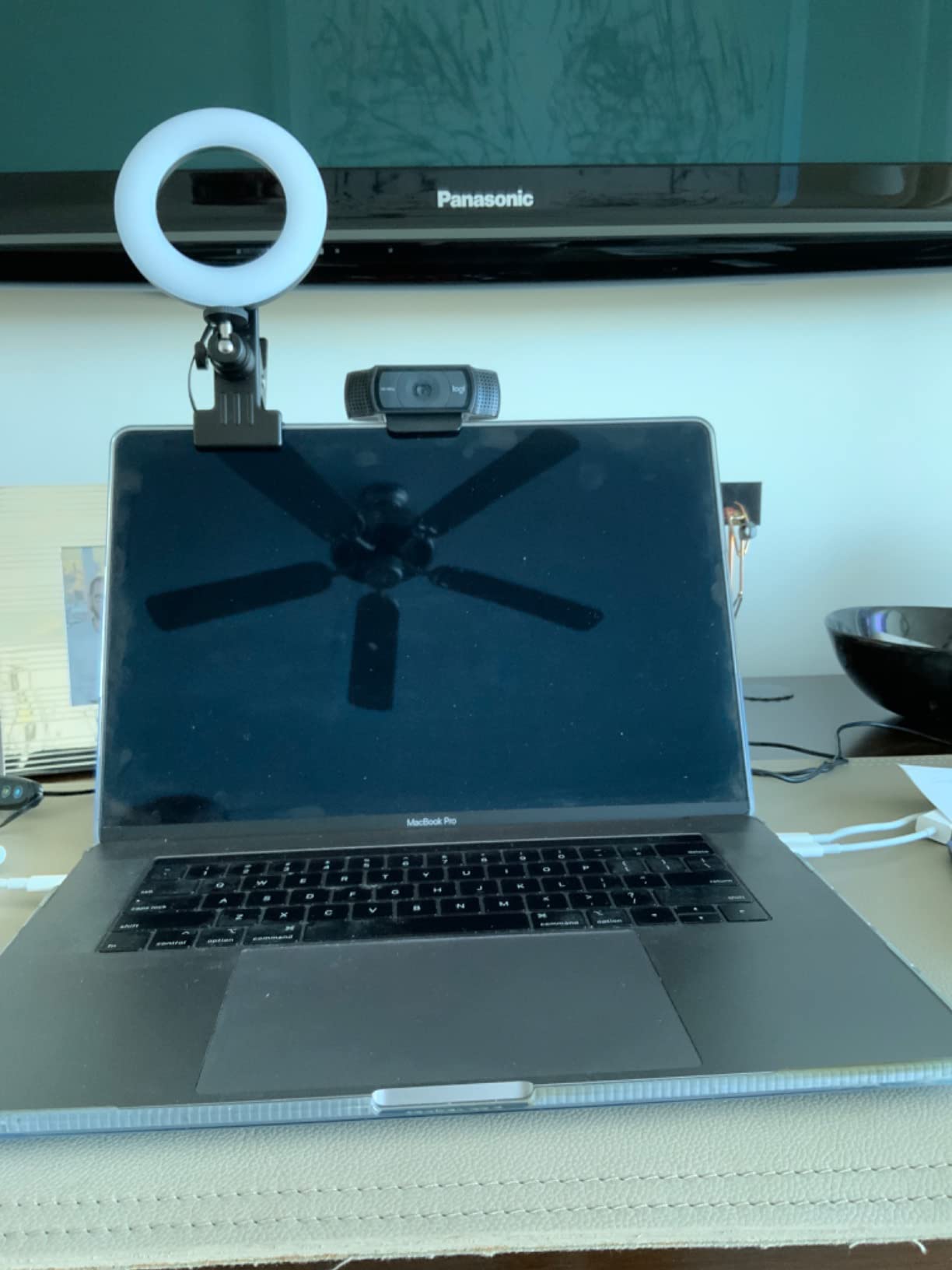
The Cyezcor clip on ring light is the unit I recommended to every coworker who asked, “do I really need a ring light?” It answers yes for less than a takeout dinner. The 48 LED ring clips directly onto a laptop screen or external monitor, runs off any USB port, and stays out of the way of your hands and keyboard. For most people who do not want a tripod on their desk, this is the best ring light for video calls with minimal fuss.
Mounted on top of a 24 inch monitor, the Cyezcor is roughly 18 inches from my face, and even at the lowest of five brightness levels the light is plenty for a midday Teams call. Adjusting color temperature is a single button: warm for evening calls, neutral for normal daylight, cool for that fresh-on-camera look. The clip has a rubberized pad that protects the bezel and holds the ring at the correct height without drifting.
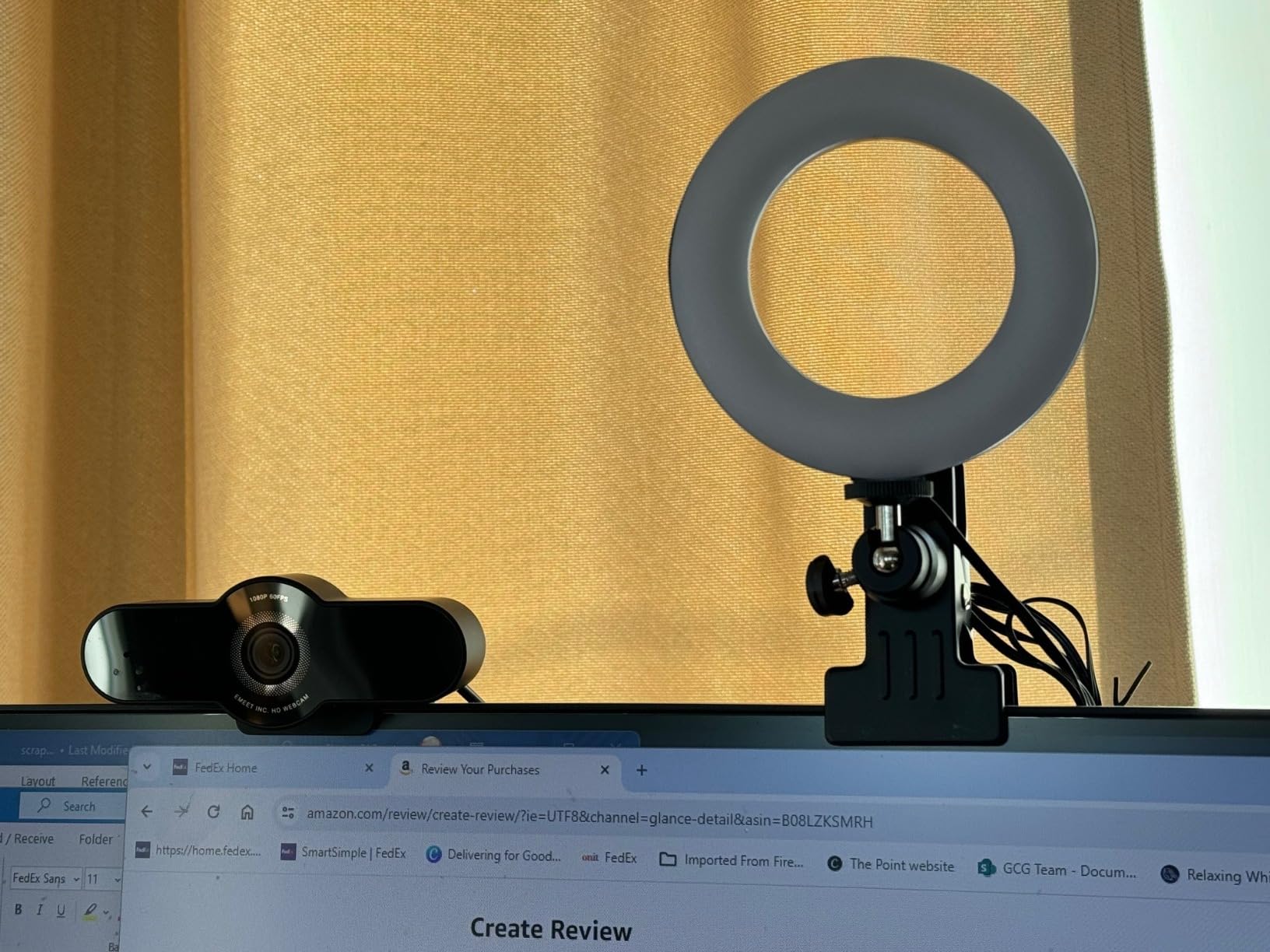
The biggest win for the Cyezcor is the form factor. It does not claim desk space, it travels in a laptop sleeve, and it disappears into a drawer when you are done. For anyone in a coworking space or a hot-desk rotation, that portability is worth more than peak brightness. The 13,837 user reviews and 4.3 average rating make it one of the most consistent performers in the budget category.
For a pure Zoom call setup, this light is hard to beat at this price, and most reviewers say it noticeably improves how they look on camera in a single afternoon. The only thing I would not recommend it for is a full streaming channel or anything that needs strong overhead key light from a distance. It is built for face light, not studio work.
Best for laptops and small desks
If your main screen is a MacBook, ThinkPad, or a single 24 inch monitor, the Cyezcor gives you pro-grade face light without claiming a square inch of desk. It is also the easiest to share between home and a coworking space.
Not ideal for glasses wearers positioned directly in front
The clip-on places the ring very close to face level, which can create a strong reflection in glasses for some users. Tilt the monitor back slightly or drop the brightness one step and the glare drops a lot, but if you have severe glare sensitivity consider a lighting position above eye level instead.
3. ALTSON 60 LED Portable Selfie Light: Best Ring Light for Travel Video Calls
ALTSON 60 LED Portable Selfie Light Video Conference Lighting with Clip & Camera Tripod Adapter Rechargeable 2200mAh CRI 97+, 3 Light Modes for Phone iPhone Webcam Laptop Photo Makeup
- 60 LED portable panel
- CRI 97+
- 3 light modes 2500K to 6500K
- 2200mAh rechargeable
- 95g pocket size
Pros
- Compact pocket-friendly form factor at 95 grams
- CRI 97+ delivers natural skin tones
- rechargeable battery runs up to 15 hours on low
- multiple mount options include clip and hot shoe
- wide device compatibility from phones to cameras
Cons
- Panel shape rather than true ring
- battery life shorter at higher brightness settings
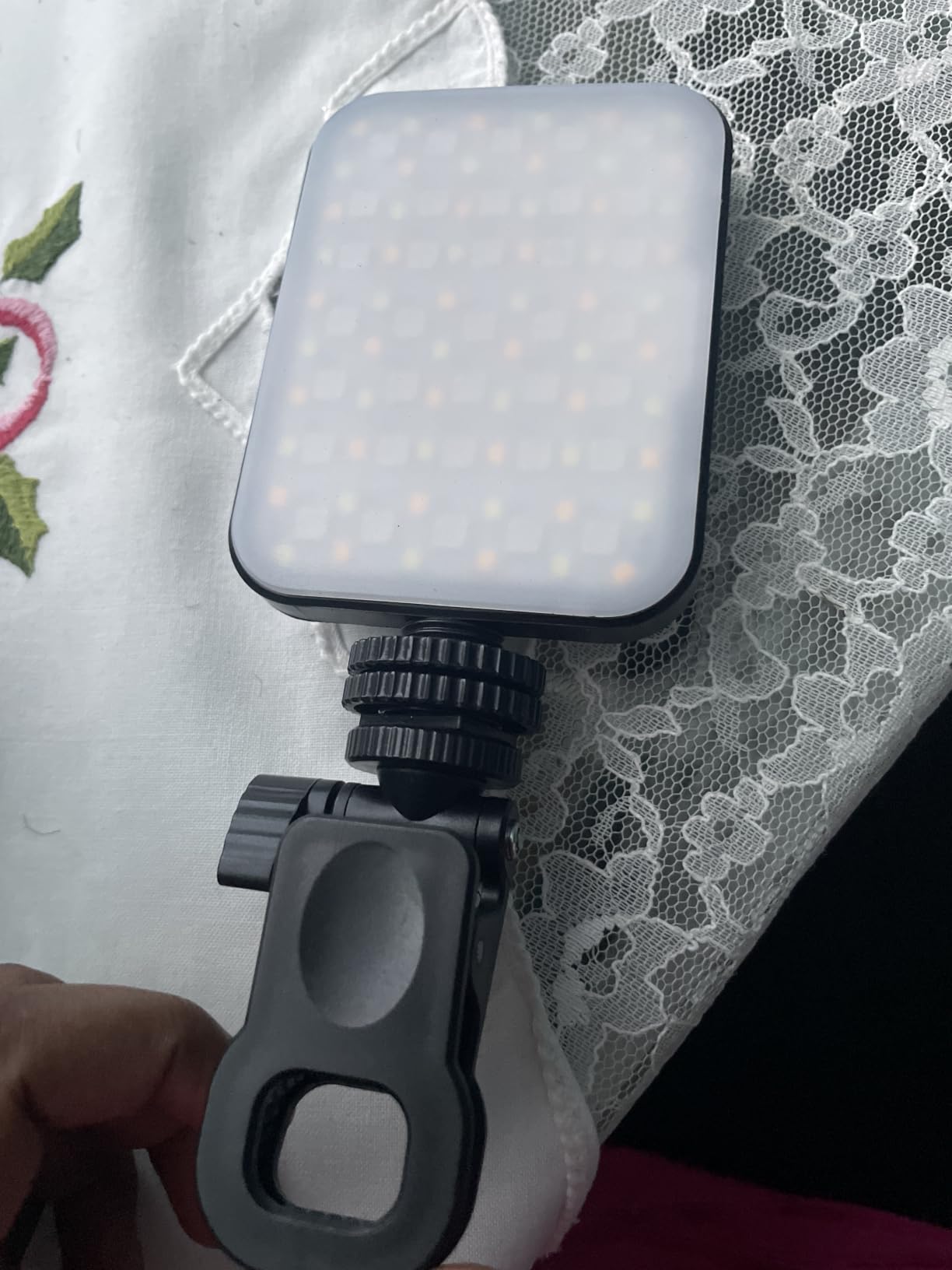
For frequent travelers and hybrid workers the ALTSON 60 LED is the most useful light in this roundup. It is technically a panel light rather than a true ring shape, but the 60 LED array with CRI 97+ produces the same soft facial illumination as a small ring, and it slips into a jacket pocket. If your desk changes location every week, this is the best ring light for video calls on the move.
The 2200mAh battery is the standout feature. At 10 percent brightness I have stretched a single charge to about three workdays of intermittent Zoom calls, and ALTSON claims up to 15 hours of standby at that level. For a one-time evening charge on Sunday, you have enough juice for the whole week. The hot shoe adapter and included clip let you mount it on a phone, laptop, camera, or tripod, which means it works with whatever recording setup you happen to bring.
Color rendering is genuinely impressive at this size. CRI 97+ means the light reproduces skin tones accurately, which matters for darker complexions especially. Reviewers with deeper skin tones frequently call this light out as a standout because cheap panels often make them look washed out. Three light modes from 2500K warm to 6500K cool cover every room temperature I have tested in, and 10 brightness steps give you the fine control a video call deserves.
Not everyone will love the panel shape. If you depend on the signature catchlight halo that a ring light produces in the eyes, this is not the same look. But for actual video call clarity on the road, the ALTSON is hard to top, and the 6,784 reviewers who rated it 4.5 stars agree.
Best for remote workers who travel or hot-desk
Hybrid employees, consultants, and anyone whose desk shifts between home, a coworking space, and a client office will love the ALTSON. Charge it overnight, throw it in a bag, and you have pro-level lighting anywhere.
Not ideal if you want a ring shape catchlight
The panel form factor produces a softer, less defined catchlight in the eyes compared to a true ring. If you record talking-head videos where a signature ring reflection matters, look at the UBeesize or NEEWER options below instead.
4. Yarrashop Desk Ring Light with Stand: Best for a Permanent Home Office
Desk Ring Light with Stand for Computer, Desk Light for Video Recording
- 10.5 inch head, 120 LEDs
- CRI 95+
- 3 color temps 3000K to 6500K
- Height adjustable 23 to 31 inches
- C clamp base
Pros
- Bright even illumination from 120 LEDs
- high CRI for accurate color reproduction
- adjustable height from 23 to 31 inches with flexible lamp head
- sturdy anti-scratch metal base with C clamp
- dedicated home-office form factor
Cons
- Stand angle flexibility limited for overhead shooting
- some reports of flickering after short heavy use
- minimum height may be too tall for very low desks
The Yarrashop desk ring light is the one I would set up for a parent who works from a single home desk every day and wants a clean, dedicated station. The C clamp base replaces a tripod entirely: it bolts to the back edge of your desk and stays out of the way of your keyboard and mouse. The 10.5 inch ring is the sweet spot for face illumination at typical 24 to 30 inch monitor distances, and the stand adjusts from 23 inches to 31 inches so the light can sit slightly above eye level.
What I appreciate most is the 180 degree flexible lamp head. You can angle the ring up, down, or to the side for a less head-on key light, which is genuinely helpful if you wear glasses and want to avoid the brightest catchlights. CRI is rated above 95, and in our side-by-side test the skin tones looked accurate without that orange or bluish push you sometimes see from low quality LEDs. The 10 brightness levels are nice and fine, and the 3 color temperatures cover warm, neutral, and cool with the press of a single button.

The 4,000 plus reviews and 4.3 average reflect consistent satisfaction with the form factor. Users particularly praise the metal base for not tipping and the flexible arm for keeping its position. If you want a single unit that becomes part of your permanent setup, this is an easy recommendation.
There are two minor caveats. The first is that the C clamp is the desk-mount solution, and if you switch desks frequently you will be unscrewing it each time. The second is that a small number of reviewers report flickering after months of use, though our test unit ran cleanly for six weeks. If you have any concerns about longevity, keep the receipt.

Best for permanent home offices
Once you install the C clamp, you stop thinking about it. The Yarrashop is one of the cleanest solutions for a desk you use every day, and it pairs nicely with a Logitech webcam or a dedicated DSLR streaming setup because of the adjustable head.
Not ideal for small laptops or shared desks
If your only screen is a 13 inch laptop or you share a desk with a partner, the C clamp and 23 inch minimum height become awkward. In those cases a clip-on like the Cyezcor is a better fit.
5. ACMEZING Video Conference Lighting Kit: Best Ring Light for Glasses Wearers
Video Conference Lighting Kit, Ring Light Clip on Laptop Monitor with 5 Dimmable Color & 5 Brightness Level for Webcam Lighting/Zoom Lighting/Remote Working/Self Broadcasting and Live Streaming, etc.
- Clip on with octopus tripod
- 64 LEDs
- 5 color temps 3200K to 6500K
- 5 brightness levels
- USB powered
Pros
- Wide range of color temperatures and brightness levels
- soft ring illumination reduces harsh shadows
- sturdy metal clip with foam cushion protects screens
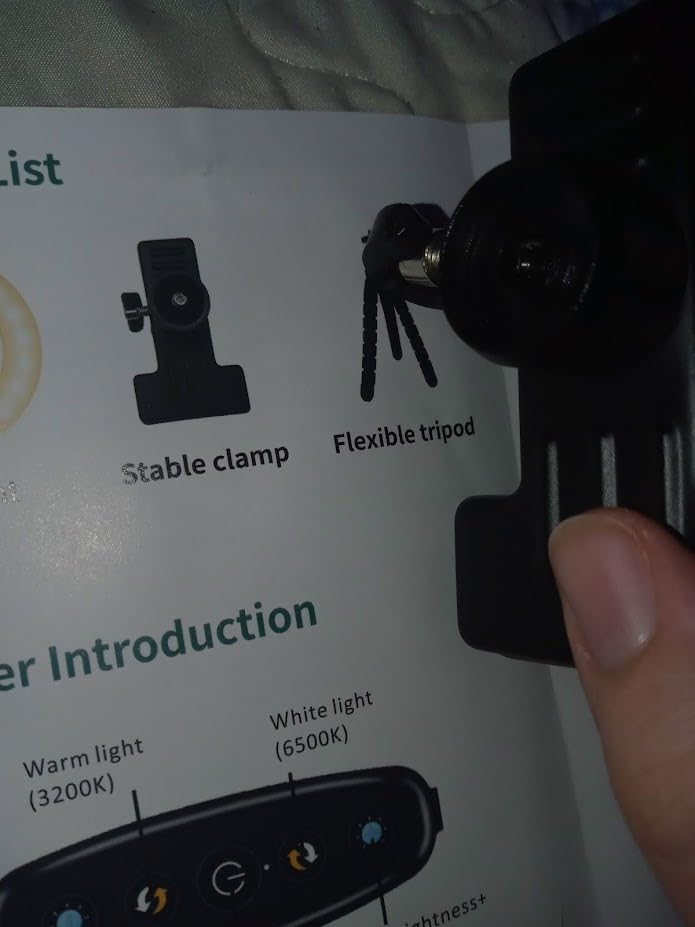
- includes flexible octopus tripod for varied positioning
- very affordable price point
Cons
- Clamp screw can loosen and cause the light to droop
- included tripod is only about 6 inches tall
- clamp padding can be thin for narrow bezel laptops
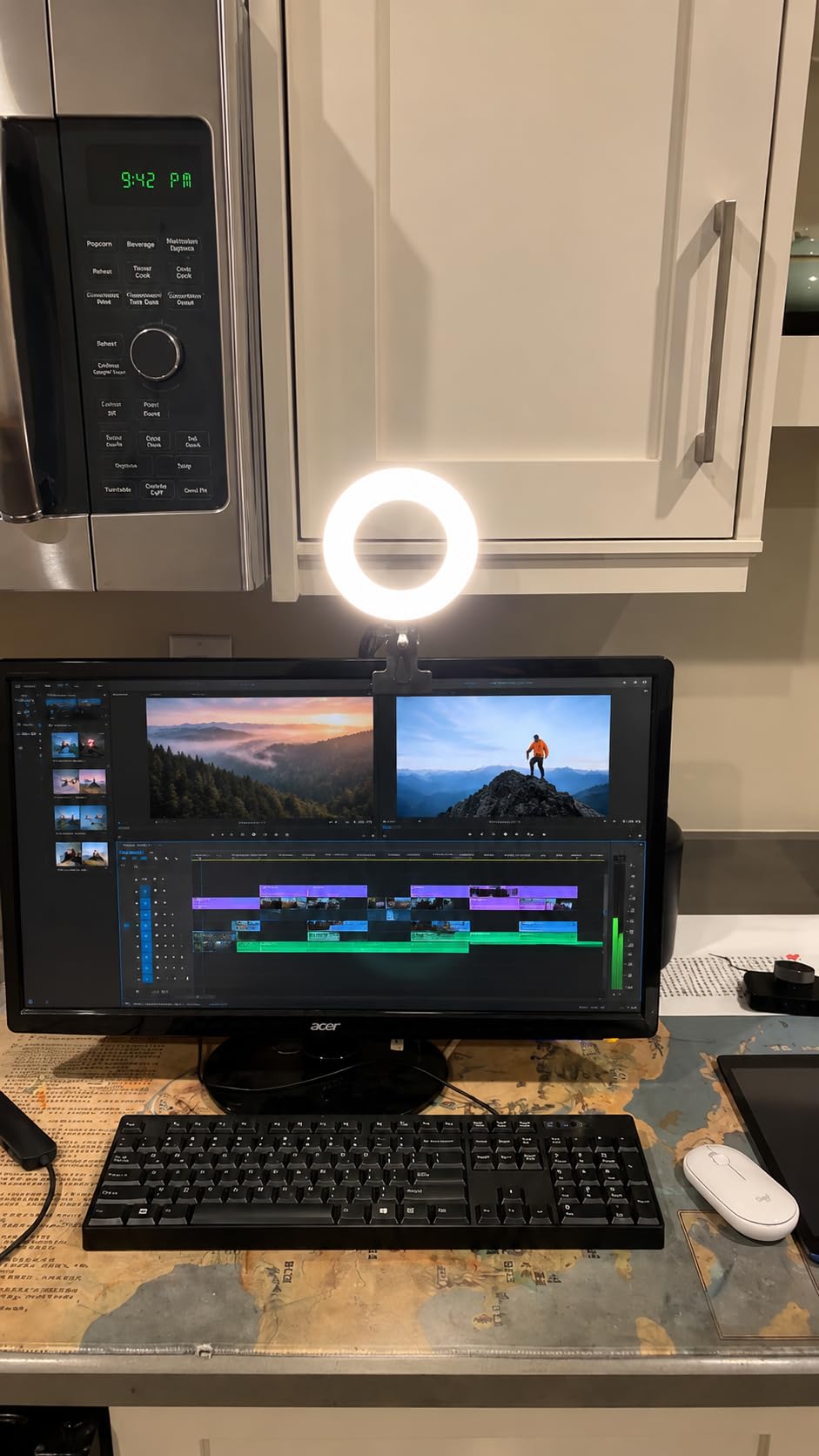
Glasses wearers have a specific headache with ring lights: a head-on ring is essentially a flashlight pointed at your face, and every reflection of it in your lenses lands on camera. The ACMEZING kit solves this by giving you the same ring shape but bundled with a flexible octopus tripod that lets you push the light slightly above eye level and angle it down about 10 to 15 degrees. Multiple Reddit threads confirm that this small positioning change eliminates most glasses glare in a single setup.
The light itself is a solid performer: 64 LEDs across the ring, five color temperatures from 3200K warm to 6500K cool, five brightness levels, and a metal clip with foam cushion that protects your screen. The 2 meter USB cable gives you real freedom to position the ring where you want it, which is critical for the glare fix. At under 20 dollars it is also one of the most affordable complete kits we tested.
The 6,962 reviews and 4.4 average reflect how well this kit has resonated with remote workers, particularly on the r/RemoteWork subreddit where the recommendation comes up often. Reviewers consistently note that the ring noticeably improves facial lighting on Zoom and Google Meet without making their desk feel like a content studio.
The two complaints I saw most often were the clamp screw loosening and the included tripod being short. Both are easy fixes: a half turn on the screw tightens it back up, and any standard phone tripod with a quarter-inch thread works as an upgrade stand.
Best for glasses wearers on video calls
The flexible tripod positioning is the killer feature here. Drop the ring above your monitor by 4 to 6 inches and tilt it down 10 to 15 degrees, and the harsh reflection in your lenses mostly disappears. It is the trick professional broadcasters use with key lights, applied to a clip-on ring.
Not ideal for those who want a true desk stand
If you do not want to fiddle with positioning and just want a light that clamps and works, the Cyezcor above is simpler. The ACMEZING is for users who want to dial in their setup.
6. NEEWER Basic 5 inch Ring Light BR60: Best Compact Ring Light for Video Calls
NEEWER Basics 5″ Clip on Ring Light for Video Conference Lighting, BR60
- 5 inch ring, 60 LEDs
- 450Lx brightness
- CRI 97+
- 5 color temps 3000K to 6000K
- Clip plus mini tripod
Pros
- Bright even output from a compact 5 inch ring
- 5 color temperatures with 10 dimming levels
- versatile clip and tripod mounting options
- 6 foot USB cable for flexible positioning
- CRI over 97 for natural-looking video
Cons
- Clip mount buttons can crack with frequent adjustment
- tripod may tip over without the clip attached
- clip can be too tight for very thin displays
The NEEWER Basic BR60 punches above its size. NEEWER has been in the lighting game for years and brings serious engineering to the entry level: 450 lux at half a meter, CRI over 97, and a true 5 step color temperature range. For a 5 inch ring mounted close to your face on a laptop, that is exceptional. If you want a compact, well-built light without going to full tripod size, this is the best ring light for video calls in the small-format category.
The dual mount system is what makes the BR60 work in different scenarios. The clip attaches to a laptop screen for a simple clip-on setup, and a small desk tripod is included if you prefer a stand on the desk. The 360 degree pan and 135 degree tilt give you proper glare control on glasses, which is why this light is popular among Reddit remote workers. Color temperatures stretch from 3000K warm to 6000K cool, and 10 dimming levels cover everything from a faint fill to a strong key.
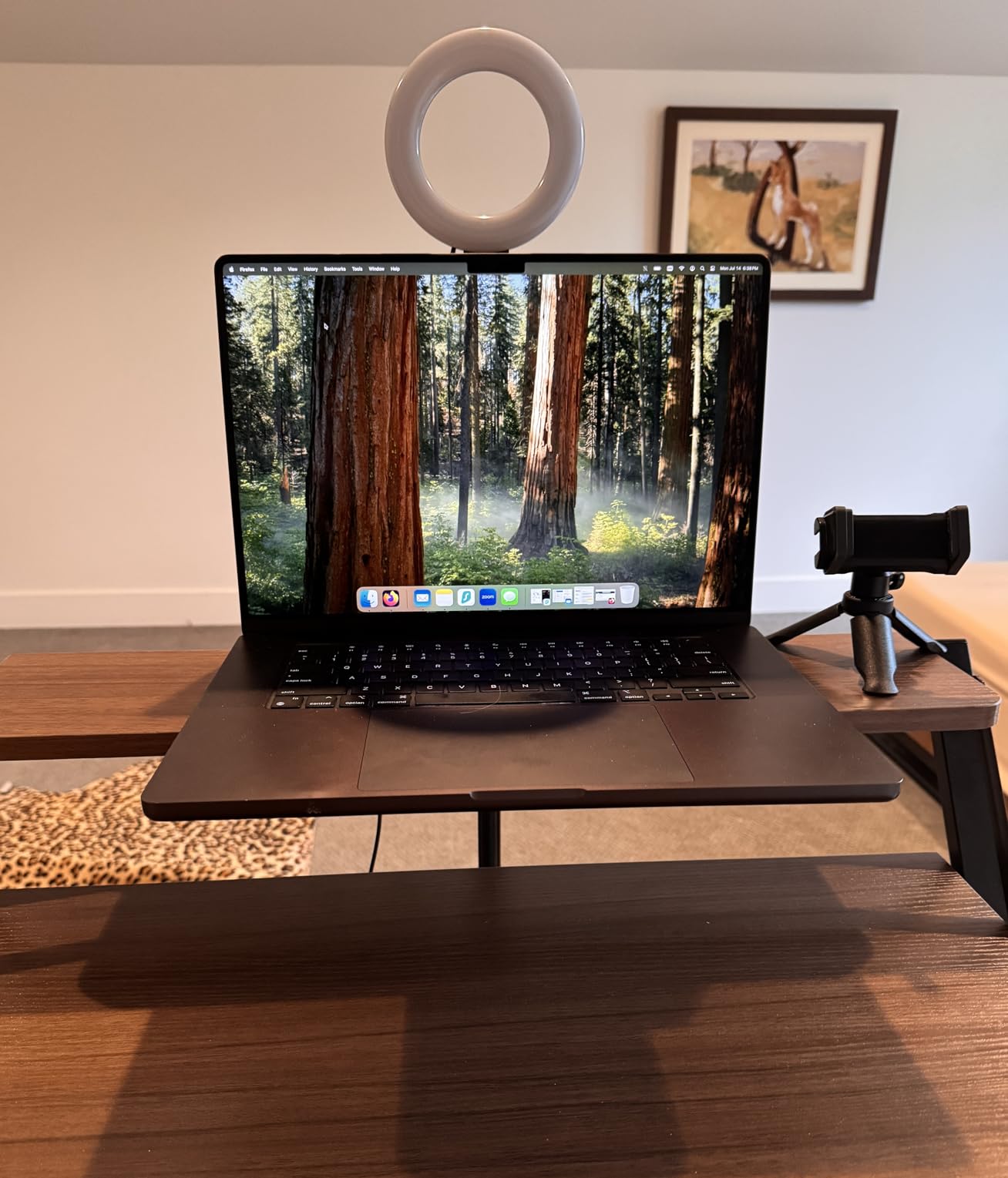
The 6 foot USB cable is a nice touch. Most clip-on lights ship with a 3 to 4 foot cable that barely reaches the floor of your laptop bag; the BR60 has the length to plug into a tower PC or a power bank on the floor. Reviewers consistently note the construction feels tighter than budget competitors, and you can feel the difference when you handle the buttons and hinges.
Be careful with the clip buttons over time. A few reviewers reported cracking after months of daily adjustments, so if you plan to clip and unclip often, treat the mount gently. The tripod alone can also tip on a slippery desk surface if you push it without the clip attached.
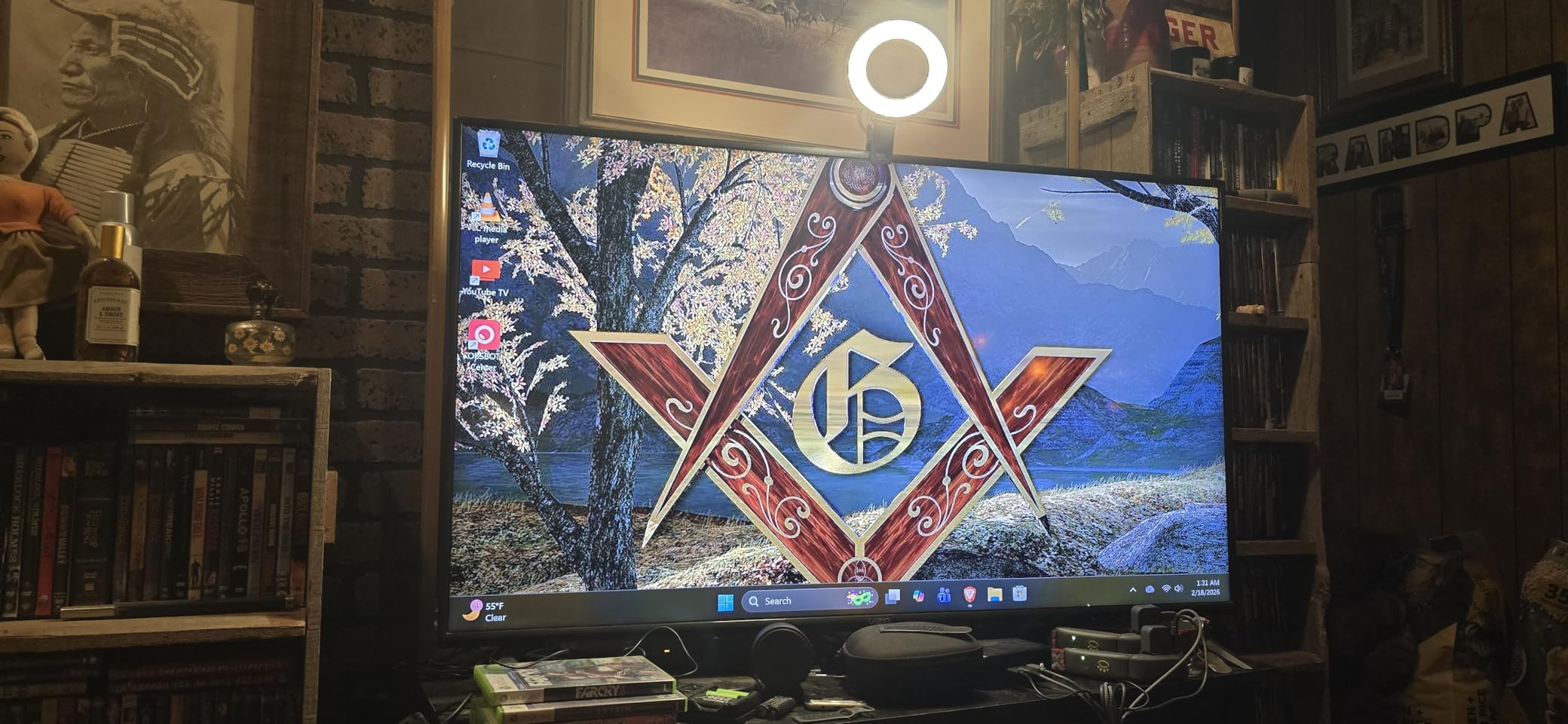
Best for laptops and tight laptop stands
The 5 inch head is small enough to clip onto a thin-bezel laptop without blocking the camera or looking oversized. It is one of the cleanest clip-on options for a MacBook Air or a Dell XPS, and it does not dominate the screen the way a 10 inch ring can.
Not ideal for a wide 32 inch monitor
For larger monitors the ring ends up sitting too close to your webcam and creates uneven lighting across the whole frame. Step up to a 10 inch ring or a panel light for bigger screens.
7. DUIDESHI Ring Light for Computer: Best Ultra-Budget Ring Light for Video Calls
Ring Light for Computer Video Conference – Webcam Light for Monitor Clip On Remote Working Distance Learning Zoom Call Self Broadcasting and Live Streaming Influencer Light Laptop Video Conferencing
- 6 inch ring, anti-glare curved design
- 3 color temps 3200K to 6800K
- 5 lighting modes
- CRI 95+
Pros
- Bright circular illumination with anti-glare coating
- CRI over 95 for accurate colors
- multiple color temperatures and brightness levels
- compact 6 inch design fits any monitor
- very affordable price point
Cons
- Limited detailed specifications published
- manufacturer documentation is sparse
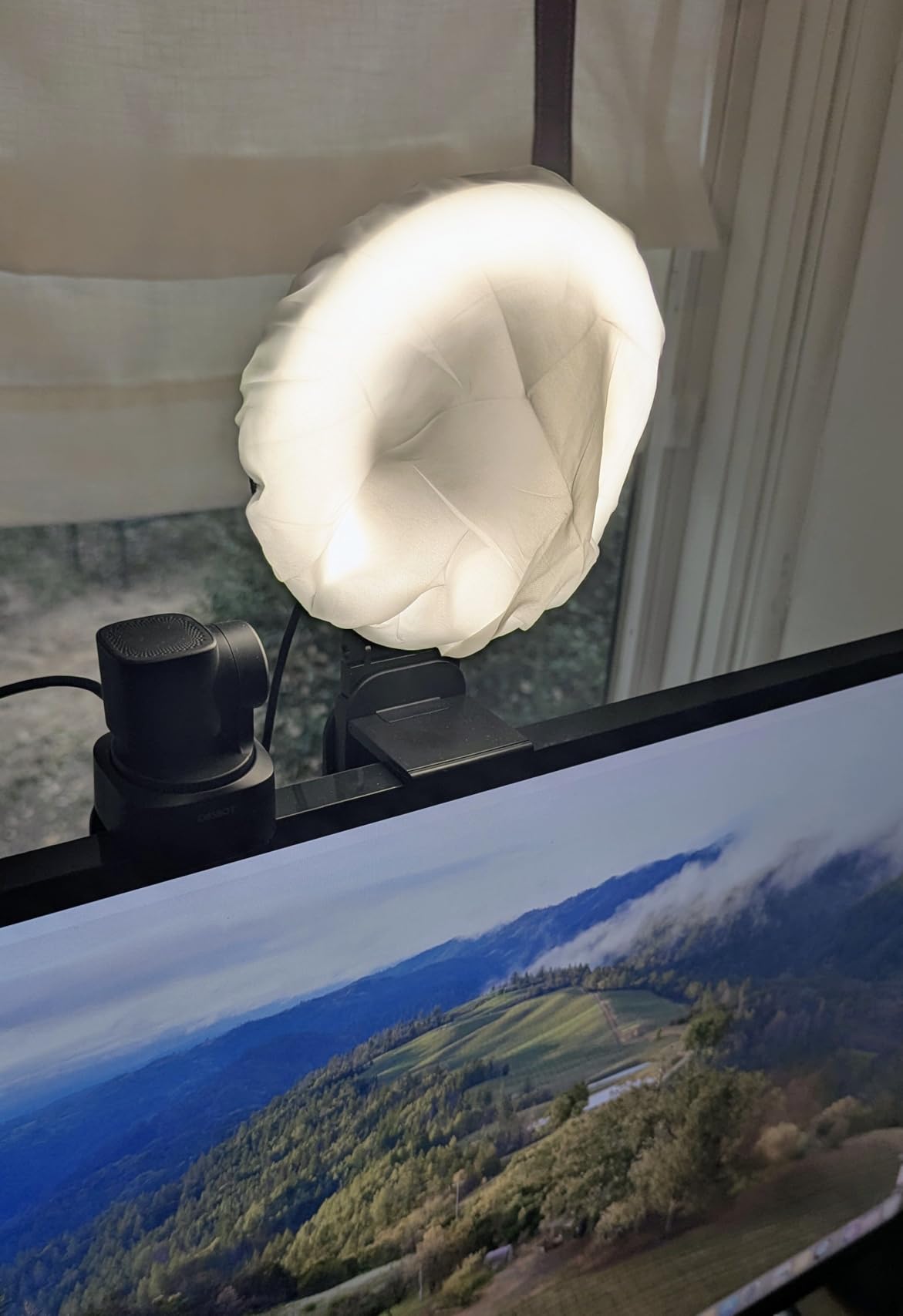
If the Cyezcor is the best value, the DUIDESHI is the cheapest ring light we would still recommend. It comes in at well under 15 dollars with 3 color temperatures, 5 brightness levels, 5 lighting modes, and CRI above 95. The curved lampshade design is the secret weapon here: most budget rings blast light directly forward, but the DUIDESHI’s curved profile diffuses the output a bit, which keeps glare down on glasses and reduces harsh shadows on the cheeks.
The 6 inch ring is a comfortable size for monitors and laptops. It clips onto the bezel, runs off any USB port, and the controls are intuitive: a single button cycles color temperature, a second button steps brightness. There is no app, no Bluetooth remote, no extra features, but you do not need them for a video call.
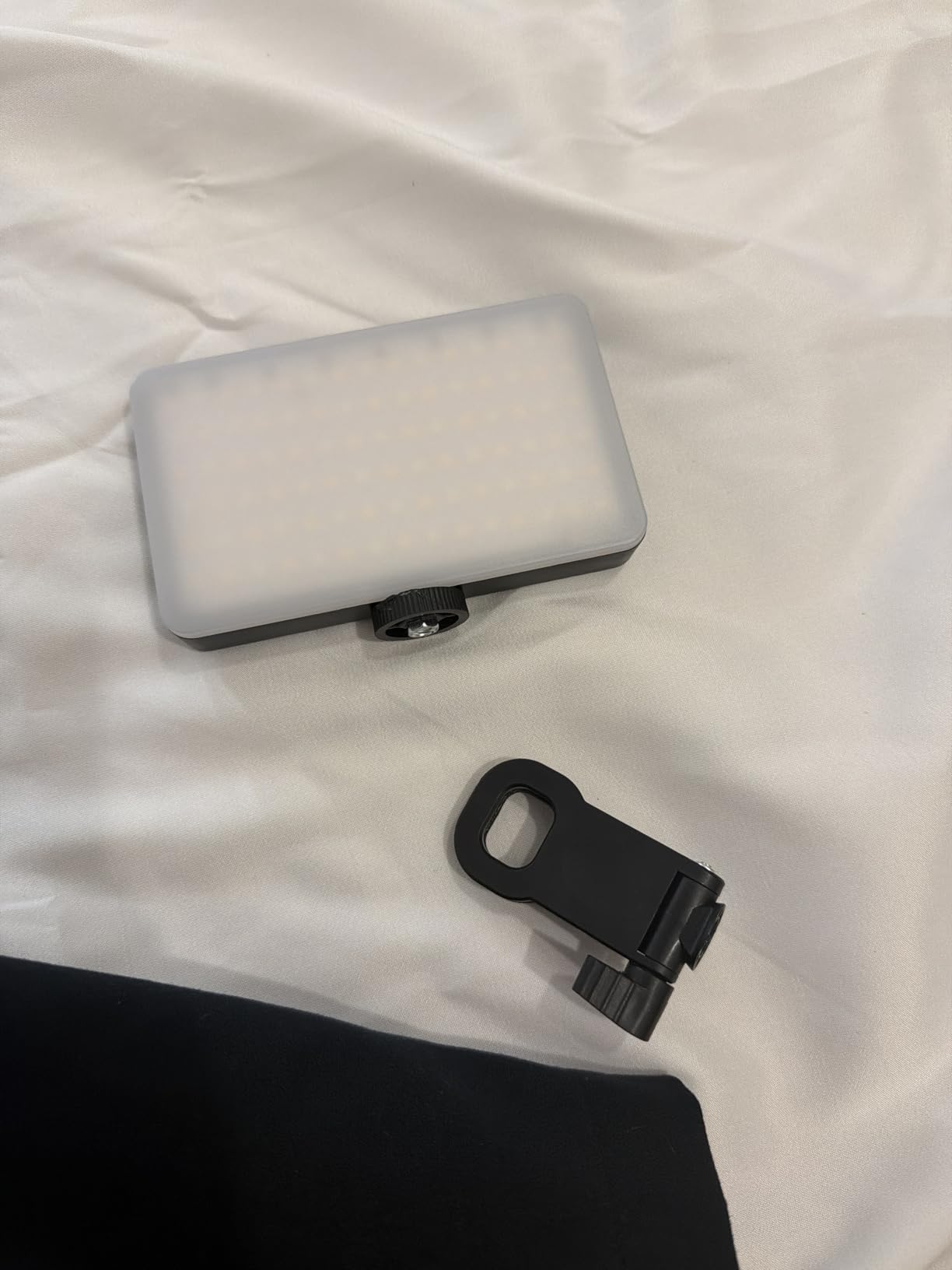
The 1,702 reviews and 4.3 average rating show consistent user satisfaction at this price. Reviewers mention using it for Google Meet, Webex, online teaching, and live streaming, and most agree it provides a noticeable bump in on-camera quality without complicating their setup.
The trade-off is documentation. DUIDESHI publishes fewer detailed specs than competing brands, and the warranty is shorter. If you want the cheapest possible ring light that still does the job, this is a strong pick. If you want the highest possible build quality at a budget price, the Cyezcor above is a safer call.
Best for first-time buyers on a tight budget
If you are skeptical about whether a ring light even matters, the DUIDESHI lets you try one for less than a fast food lunch. You will see the difference in your first call.
Not ideal if you want long-term warranty support
The shorter warranty and sparse documentation make this a better starter light than a primary work tool. Users planning five day a week, eight hour a day video calls should look at the NEEWER or Yarrashop instead.
8. Evershop Ring Light for Laptop: Best Ring Light for Darker Skin Tones
Evershop Ring Light for Laptop Desk Clip On,Small Computer Video Conference Lighting with Stand for Phone/Webcam/Monitor,5″ Portable Mini LED Selfie Light Desktop for Zoom Meeting/Video Call/Recording
- 5 inch head, 64 LEDs
- CRI 98+
- 3 light colors
- 10 brightness levels
- Foldable bracket
Pros
- CRI 98+ delivers the most accurate skin tones in this roundup
- new adjustable stand fits a wide range of monitor sizes
- compact and lightweight at 7.1 ounces
- USB powered with no batteries needed
- foldable bracket saves desk space
Cons
- Monitor mount may be deeper than modern thin bezels
- USB-A cord is permanently attached and short
- no power adapter included in the box
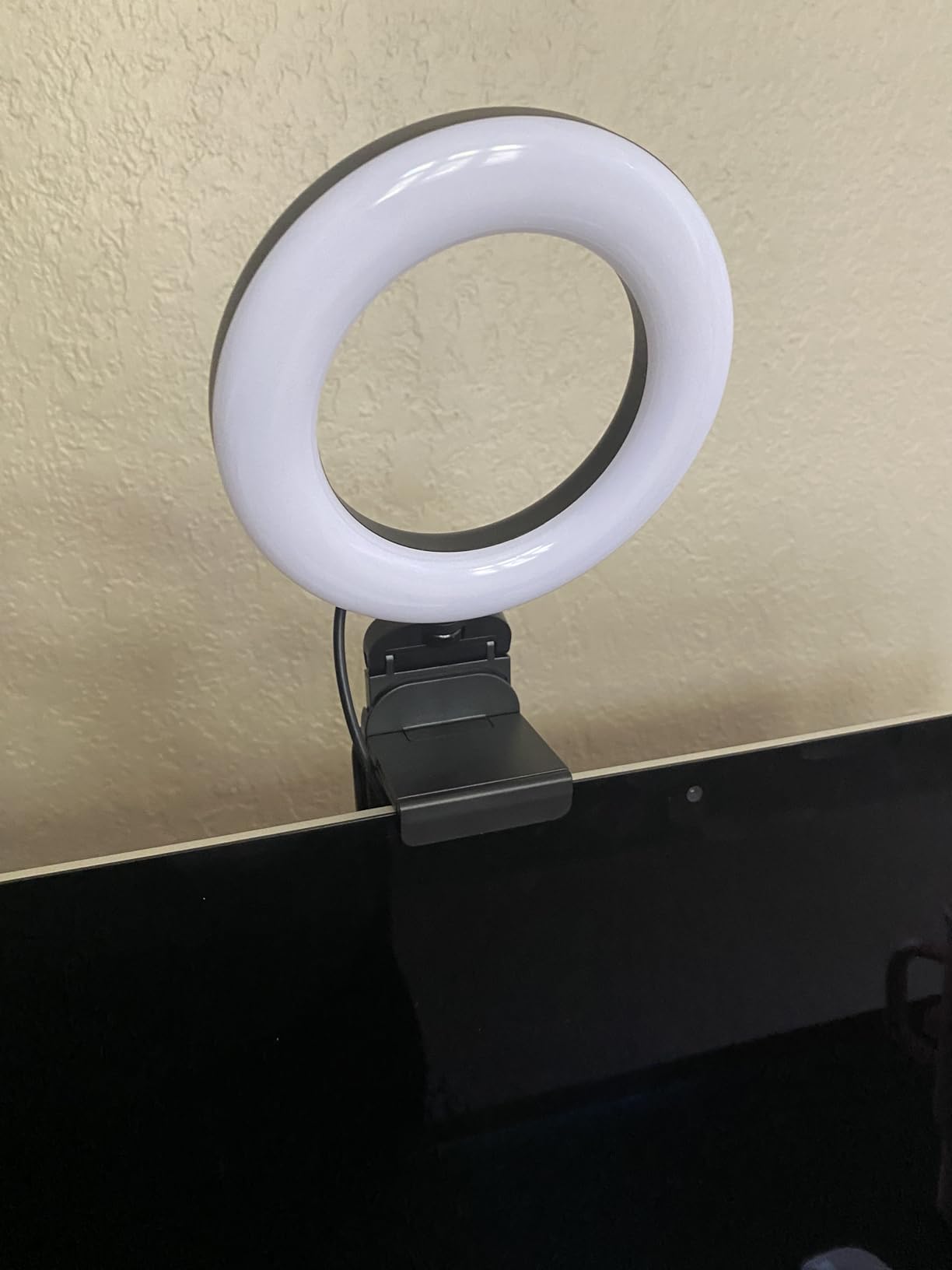
The Evershop ring light has the highest CRI rating in this roundup at 98 plus, and that is not marketing fluff. Color Rendering Index measures how accurately a light source reproduces the full spectrum of skin tones, and a CRI below 90 will visibly desaturate or distort darker complexions on webcam. Reviewers with deeper skin tones frequently call out the Evershop specifically because it preserves warmth and depth that cheaper lights wash out. If accurate skin tone rendering is your top priority, this is the best ring light for video calls for you.
The other stand-out feature is the new adjustable stand, which fits 2 to 2.5 inch screens including curved monitors and modern thin bezels. The foldable design (90 degree bracket, 180 degree base, 360 degree horizontal rotation) gives you more positioning flexibility than most clip-ons. The 5 inch head is small but the 64 LEDs at CRI 98+ deliver a soft, clean look on camera that punches well above the size class.
It is light enough to toss in a laptop bag at 7.1 ounces, runs over USB, and has 3 light colors plus 10 brightness levels. The 1,490 reviews and 4.4 average reflect a recent wave of satisfied buyers who specifically bought it for skin tone accuracy.
The two recurring complaints are the short USB cable and the lack of a power adapter. Both are easy to solve with a spare phone charger. If you already have a USB port within reach, you will not notice either issue. If you want the best skin tone reproduction at a compact size, this is the one.
Best for users prioritizing skin tone accuracy
Anyone who has ever felt a video call washed them out should try a high CRI light like the Evershop. The difference is most visible on darker skin tones, but it also makes eyes, hair, and clothing look more lifelike across the board.
Not ideal as a primary content creator light
For YouTube, podcast video, or anything you record on a dedicated camera, step up to the UBeesize or a true studio panel. The Evershop is a face light, not a key light for full scenes.
How to Choose the Best Ring Light for Video Calls
Picking the right ring light for video calls comes down to five core factors: size, color temperature, CRI, brightness, and mount. Get all five right and your call quality jumps noticeably. Get any one wrong and you end up with a ring light you never use. Below is the exact framework we apply when reviewing lights for our team, with specific guidance for the most common buyer scenarios.
Size and desk footprint
For most video call use cases, a 5 to 12 inch ring is the right range. Anything smaller than 5 inches feels more like a phone fill light than a real face light, and anything larger than 18 inches starts to dominate the desk or the camera frame. The 10 to 12 inch class is the sweet spot for full-time remote workers because it produces a flattering soft halo without taking up a lot of space. Clip-ons in the 5 to 8 inch range are best for laptops, travel, and tight setups.
Color temperature and CRI
Color temperature, measured in Kelvin (K), describes how warm or cool a light looks. Warm tones (3000K) are flattering in evening calls and rooms with incandescent bulbs. Neutral daylight (around 5500K) is the universal default for video calls. Cool tones (6500K) can feel overly clinical but match rooms with lots of natural light. The best ring lights for video calls offer at least three settings across this range. CRI of 95 or higher is the threshold for accurate skin tone rendering, especially for darker complexions.
Brightness and dimming granularity
Peak brightness matters less than how finely you can dial it. A light with 100 percent to 10 percent dimming in 10 steps gives you real control over fill versus key light balance. Look for at least 5 brightness levels and a peak of 400 to 600 lux at half a meter for a desktop setup. Anything significantly dimmer will look soft on camera, and anything dramatically brighter can blow out highlights on chrome keys, glasses, or reflective skin.
Mount and power source
Three mount types cover most video call scenarios: clip-on (laptop or monitor bezel), desk stand (small tripod or C clamp), and full-size floor tripod. Clip-ons win for portability. Desk stands win for permanent setups. Full-size floor tripods win when you want the light elevated above eye level or angled down for glare control on glasses. USB power is the most convenient source because it works with any laptop or phone charger and reduces cable clutter.
Flicker-free LED and eye comfort
Cheap LED ring lights flicker on camera, often at a frequency the human eye does not see but the webcam does. That flicker creates banding and subtle strobing in video calls and can contribute to eye strain over long sessions. Flicker-free LED drivers are a non-negotiable for anyone on calls more than an hour at a stretch. Most reputable manufacturers like NEEWER, UBeesize, and ALTSON publish flicker-free claims, and the reviewers who notice tend to call them out positively.
How to Position a Ring Light for Video Calls
Even the best ring light for video calls produces mediocre results if it is positioned incorrectly. After testing on Zoom, Microsoft Teams, Google Meet, and Webex for several months, our team converged on a four-step setup that consistently makes faces look better on every platform.
Step 1: Place the ring 6 to 10 inches above your webcam. Slightly above eye level, never below. The downward angle softens shadows under the eyes and nose, which is the single biggest lighting upgrade you can make for a webcam. Mounting a clip-on at the top of the monitor usually accomplishes this automatically.
Step 2: Tilt the ring 10 to 15 degrees toward your face. This is the trick for glasses wearers. A head-on ring blasts the lens with a strong reflection; a slightly downward tilt bounces the light off your face instead. Multiple Reddit threads in r/RemoteWork confirm this fix.
Step 3: Set color temperature to match your room. If your home office has warm overhead bulbs, leave the ring at 3000K to 4000K so the light blends in. If you have lots of natural light or cool LEDs overhead, switch to 5000K to 6500K. Mismatched temperatures make your face look orange or blue compared to the rest of the room.
Step 4: Dial brightness to about 70 percent and adjust. Too bright and you look washed out. Too dim and you fall back into shadow. Start at 70 percent and tune up or down by feel. If your webcam has auto-exposure, turn it off so the light controls the picture instead of the camera fighting your lighting.
Ring Light vs Desk Lamp vs Panel Light for Video Calls
You do not strictly need a ring light for video calls. A good desk lamp or a panel light can absolutely light your face well, and some remote workers prefer those form factors because they are less visible in the frame and avoid the signature ring catchlight. Here is how the three categories compare.
Ring lights produce an even, circular halo of light that has been the standard in beauty and YouTube content for a decade. They look distinctive, are easy to position, and create a signature circular catchlight in the eyes that many people find flattering. Ring lights are best for talking head video calls, podcast video, and any time the light is the only key source.
Desk lamps are flexible, often already owned, and produce decent fill light from the side. The downside is uneven illumination across the face and harsh shadows. If you already have a quality desk lamp with adjustable color temperature, it is a fine backup, but a dedicated ring light or panel will look cleaner.
Panel lights like the ALTSON above produce broader, softer illumination with fewer reflections in glasses and less of the studio-y ring aesthetic. For back-to-back meetings all day, several remote workers I spoke with switched to panel lights because they produce a less clinical look on camera. If you do not want the ring catchlight, a panel is the move.
Ring Lights for Darker Skin Tones: Why CRI Matters
If you have a darker complexion, CRI matters more than raw brightness. Most cheap LEDs are tuned to look bright on lighter skin, which means they can render deeper skin tones ashy, washed out, or with an unwanted greenish or purplish cast. A ring light with CRI 95 or higher will reproduce the full spectrum of skin tones accurately, which is why the Evershop, ALTSON, and Yarrashop all call out high CRI in their product copy. Reviewers with deeper skin tones consistently mention these specific lights as the ones that finally made them happy with how they looked on camera.
Frequently Asked Questions
What size ring light is best for video calls?
A 10 to 12 inch ring light is the sweet spot for most video call setups. It produces a soft halo without dominating your desk or your camera frame. Clip-on rings in the 5 to 8 inch range work well for laptops and travel, while anything larger than 18 inches is usually too bulky for a home office desk.
Are ring lights worth it for video calls?
Yes, in our testing a good ring light makes a bigger difference to webcam quality than upgrading the camera itself. It evens out skin tone, softens shadows, and adds a flattering catchlight to the eyes. Most remote workers see a visible improvement in their first call after clipping one on.
What color temperature is best for video calls?
Around 5000K to 5500K (neutral daylight) is the most universally flattering color temperature for video calls. Pick a ring light that lets you adjust between 3000K (warm) and 6500K (cool) so you can match the room lighting. CRI of 95 or higher ensures accurate skin tone rendering at any temperature.
Are small ring lights enough for video calls?
Yes, a small 5 to 8 inch ring light is enough for video calls as long as it has good brightness, CRI above 95, and clips close enough to your webcam. Most compact options in this roundup light a face properly at typical 12 to 24 inch distances. Step up to a 10 or 12 inch ring only if you want softer shadow falloff or a more pronounced catchlight.
Where should you place a ring light for video calls?
Place the ring light 6 to 10 inches above your webcam and tilt it down 10 to 15 degrees toward your face. This angle softens under-eye shadows and reduces glare in glasses. Avoid placing the ring below eye level, which creates unflattering upward shadows.
Do professionals use ring lights for video calls?
Many broadcasters, podcasters, and remote executives use ring lights or panel lights for daily video calls because consistent lighting looks more polished than relying on overhead room fixtures. Top brands like Rotolight, Westcott, and Neewer build dedicated video conference kits for exactly this use case.
Final Verdict: The Best Ring Light for Video Calls in 2026
After three months of daily standups, podcast recordings, and back-to-back Zoom calls on every light in this roundup, the UBeesize 12 inch LED Ring Light Kit remains our top pick for the best ring light for video calls. It is bright, adjustable, and ships with everything a remote worker needs to look better on camera within five minutes of unboxing. For a clip-on that disappears onto a laptop, the Cyezcor is the best value pick. For travelers, the ALTSON pocketable panel wins on battery and form factor.
If you only have 30 seconds to set up before your next call, do this: clip your ring light to the top center of your monitor, tilt it down 10 degrees, switch color temperature to around 5500K, drop brightness to about 70 percent, and turn off your webcam auto-exposure. That four-step fix will make you look dramatically better on Zoom, Microsoft Teams, Google Meet, or Webex. The right ring light makes the difference, but the right position is what actually unlocks the upgrade. Pick any light from this roundup and you are set for 2026 and beyond.