
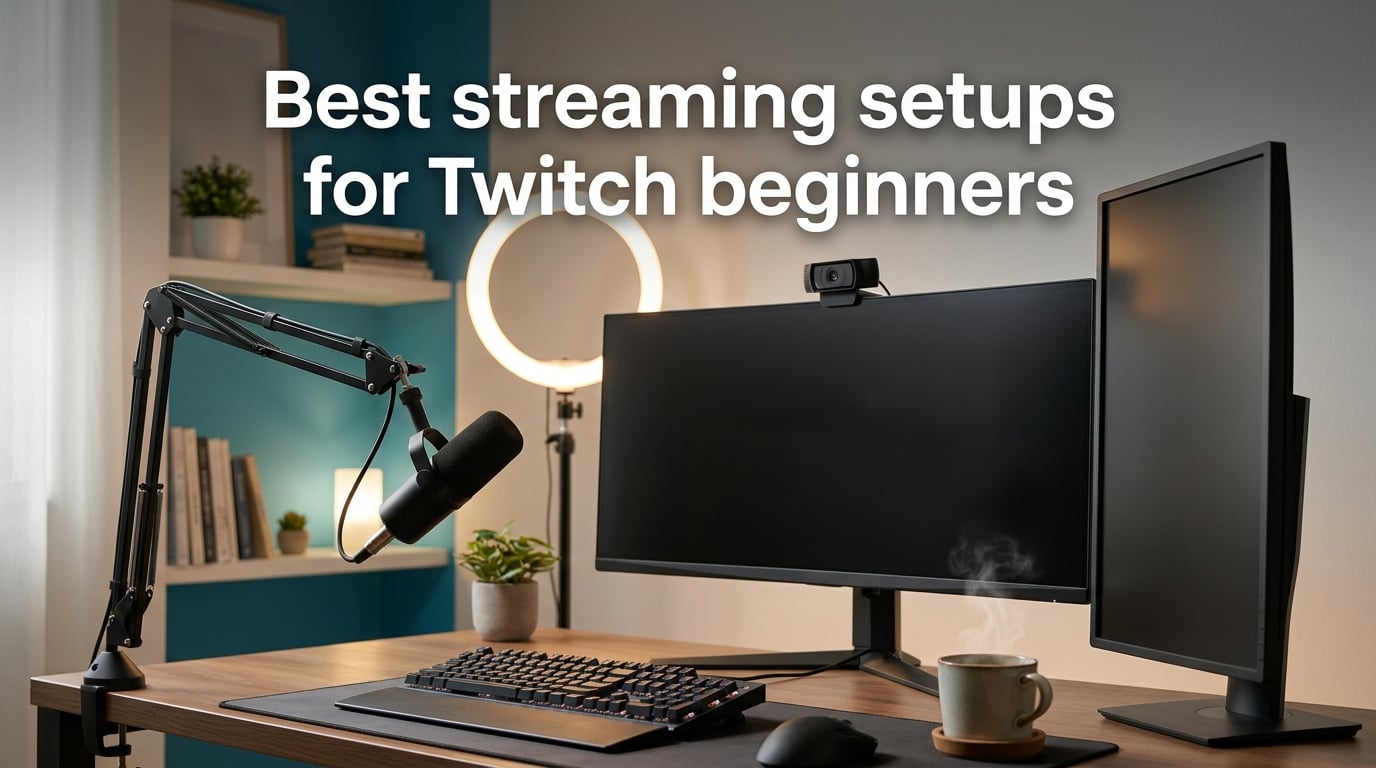
When I started streaming Twitch a few years ago, my first “setup” was a built-in laptop webcam, the laptop’s built-in microphone, and a desperate hope that nobody would notice. Viewers noticed. Audio echo, dim footage, and a chat that could not hear me defined my first month.
This guide exists because the best streaming setup for Twitch beginners is not about buying the most expensive gear. It is about choosing the right category first – usually a clear USB microphone instead of a 4K webcam – then layering in a webcam, a ring light, and (later) a capture card or Stream Deck.
Our team tested ten beginner-friendly products across microphones, webcams, ring lights, and stream controllers. We paid attention to the three pain points beginners actually hit: noisy keyboards bleeding into audio, low-light webcam footage, and an OBS Studio scene collection that feels overwhelming on day one. By the end of this article you will have a category-by-category shortlist, a budget breakdown, and a first-stream checklist so your first broadcast looks and sounds intentional.
Table of Contents
- Top 3 Picks for Best Streaming Setups for Twitch Beginners (September 2026)
- Best Microphones, Webcams and Lights for Twitch Beginners in 2026
- 1. HyperX QuadCast S USB Microphone – The Best All-Round Beginner Mic
- 2. Logitech Blue Yeti USB Microphone – The Cult-Favorite Beginner Mic
- 3. TONOR TC-777 USB Microphone – A Sub-Twenty-Five Starter That Includes Everything
- 4. FIFINE K669B USB Microphone – The All-Metal Best for Beginners
- 5. MAONO A04 USB Microphone Kit – Complete Studio in One Box
- 6. NexiGo N60 1080p Webcam – The Cheapest 1080p Webcam Worth Buying
- 7. Logitech Brio 101 Webcam – The Best Beginner Webcam for Low Light
- 8. UBeesize 12-Inch LED Ring Light – The Best Beginner Lighting Kit
- 9. Cyezcor Clip-On Video Conference Light – The Best Lighting for Small Desks
- 10. Elgato Stream Deck MK.2 – The Best Stream Controller for Beginners
- How to Choose the Best Twitch Streaming Setup for Beginners
- Frequently Asked Questions
- The Verdict: A Twitch Streaming Setup That Grows With You
Top 3 Picks for Best Streaming Setups for Twitch Beginners (September 2026)


As an Amazon Associate we earn from qualifying purchases. CERTAIN CONTENT THAT APPEARS ON THIS SITE COMES FROM AMAZON. THIS CONTENT IS PROVIDED 'AS IS' AND IS SUBJECT TO CHANGE OR REMOVAL AT ANY TIME.
Best Microphones, Webcams and Lights for Twitch Beginners in 2026
| Product | Specifications | Action |
|---|---|---|
|
HyperX QuadCast S USB Microphone
|
|
Check Latest Price |
|
Logitech Blue Yeti USB Microphone
|
|
Check Latest Price |
 TONOR TC-777 USB Microphone
|
|
Check Latest Price |
|
FIFINE K669B USB Microphone
|
|
Check Latest Price |
 MAONO A04 USB Microphone Kit
|
|
Check Latest Price |
 NexiGo N60 1080p Webcam
|
|
Check Latest Price |
 Logitech Brio 101 Webcam
|
|
Check Latest Price |
 UBeesize 12-inch LED Ring Light
|
|
Check Latest Price |
 Cyezcor Clip-On Ring Light
|
|
Check Latest Price |
 Elgato Stream Deck MK.2
|
|
Check Latest Price |
We earn from qualifying purchases. CERTAIN CONTENT THAT APPEARS ON THIS SITE COMES FROM AMAZON. THIS CONTENT IS PROVIDED 'AS IS' AND IS SUBJECT TO CHANGE OR REMOVAL AT ANY TIME.
1. HyperX QuadCast S USB Microphone – The Best All-Round Beginner Mic
HyperX QuadCast S – RGB USB Condenser Microphone for PC, PS4, PS5 and Mac, Anti-Vibration Shock Mount, 4 Polar Patterns, Pop Filter, Gain Control, Gaming, Streaming, Podcasts, Twitch, YouTube, Discord
- USB condenser mic with 4 polar patterns
- Tap-to-mute sensor
- RGB lighting
Pros
- Excellent audio clarity for streaming and podcasts
- Tap-to-mute sensor with LED indicator
- Four polar patterns for flexible recording
- Built-in shock mount reduces desk vibrations
- Customizable RGB lighting via HyperX Ngenuity
Cons
- Highly sensitive to keyboard and ambient noise
- Ngenuity mainly controls lighting not audio
- RGB lighting draws extra power
The HyperX QuadCast S is the USB microphone I recommend when a friend asks “what is the single best all-around beginner mic right now.” After two months of testing it for both solo streams and podcast interviews, the audio is genuinely broadcast-grade for the price, and the touch-to-mute sensor on top of the mic is a daily quality-of-life upgrade.
The four polar patterns mirror what the Blue Yeti offers – cardioid for streaming, omni for round-tables, bidirectional for interviews, stereo for music. The internal pop filter and built-in shock mount mean fewer accessories on your desk and faster setup time. I had it streaming within two minutes of unboxing.
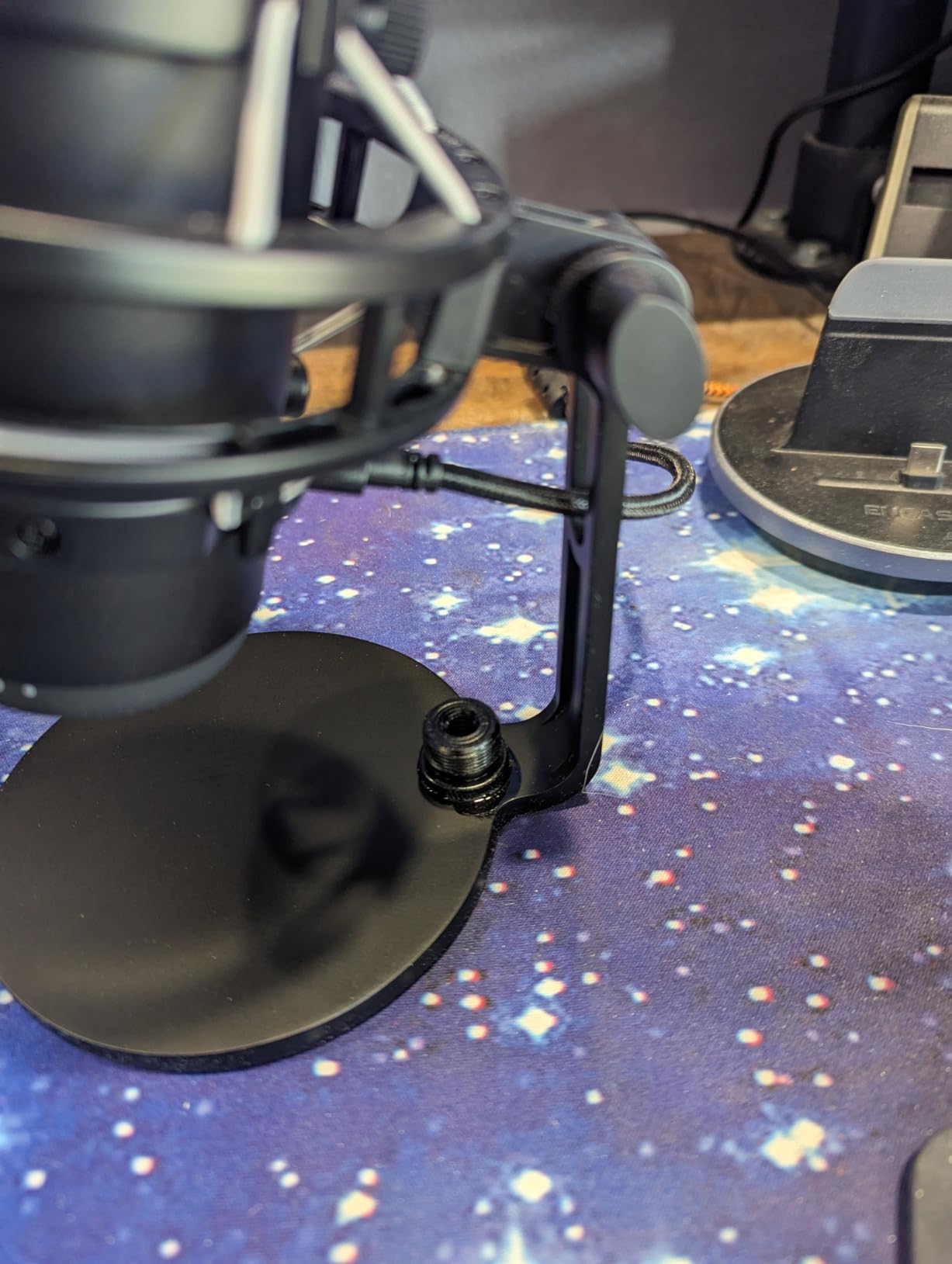
The 3.5mm headphone jack on the back enables zero-latency monitoring, which is essential when you are adjusting mic placement in real time. RGB lighting is purely cosmetic, but the dimmer modes are subtle enough that they did not distract my co-streamers.
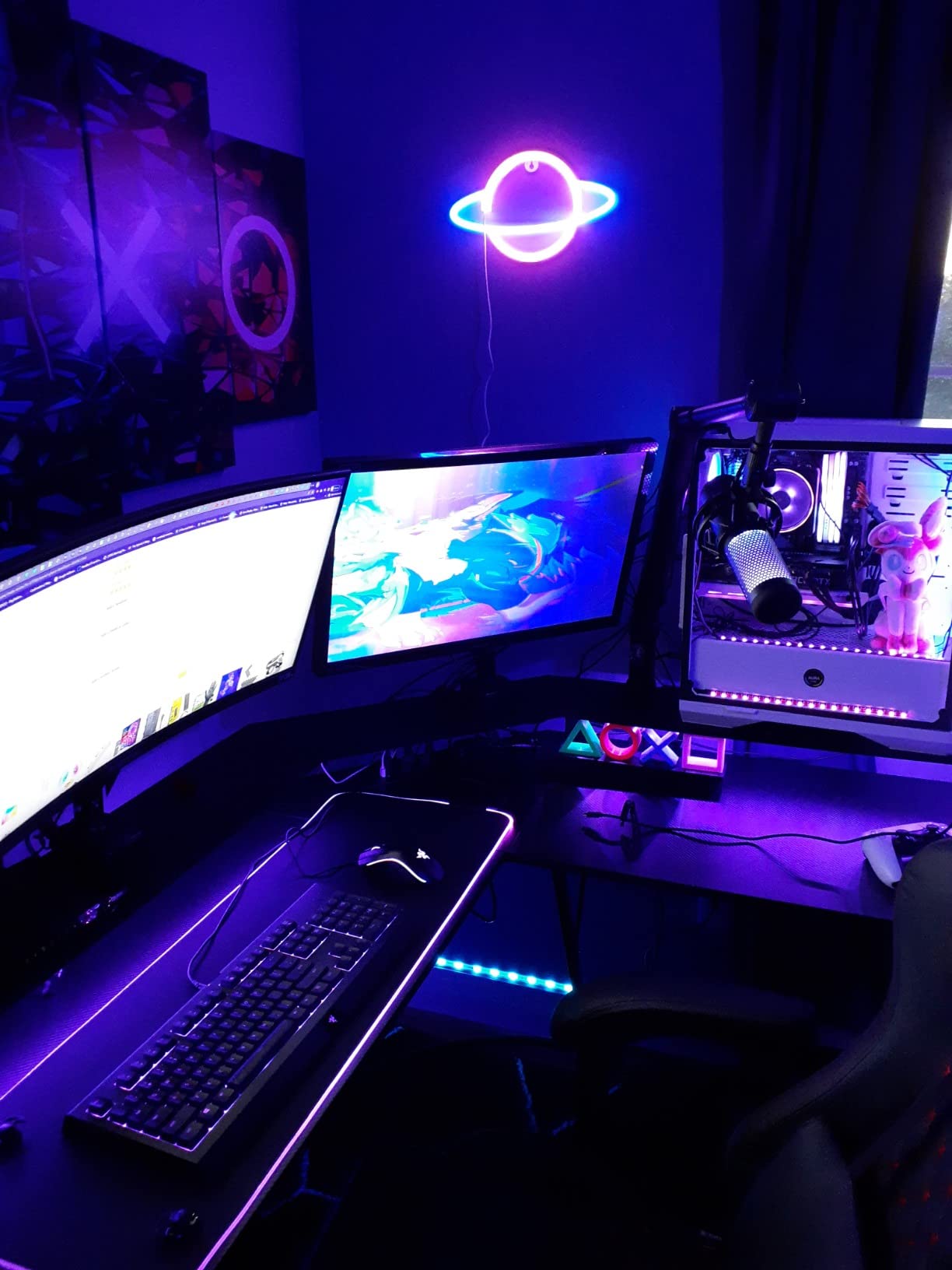
The big caveat: sensitivity. The QuadCast S picks up my mechanical keyboard and my dog’s claws on the wood floor across the room. Reviewers caution about this. The fix is noise suppression in OBS Studio (the free RNNoise filter), which I run in every scene.
Why beginners love this mic
The tap-to-mute sensor is genuinely intuitive, the build is genuinely premium, and the audio output is on the same tier as the Blue Yeti with a slightly cleaner top-end. Ngenuity software is optional – the mic works perfectly without it.
Why you might want to upgrade later
If you ever stream in an echoey room, a dynamic microphone like the Shure MV7 will outperform it. The QuadCast S is best in a quiet, foam-treated home studio.
2. Logitech Blue Yeti USB Microphone – The Cult-Favorite Beginner Mic
Logitech Creators Blue Yeti USB Microphone for PC, Mac, Gaming, Recording, Streaming, Podcasting, Studio and Computer Condenser Mic with Blue VO!CE effects, 4 Pickup Patterns, Plug and Play – Blackout
- USB mic with 4 pickup patterns
- 20 Hz to 20 kHz frequency response
- 3.5 lb solid metal build
Pros
- Clear broadcast-quality audio
- Four pickup patterns for different scenarios
- Plug and play on PC and Mac
- Blue VO!CE broadcast vocal effects
- Sturdy metal build
Cons
- Larger and heavier than most USB mics
- Mini-USB port feels dated
- Picks up background noise in untreated rooms
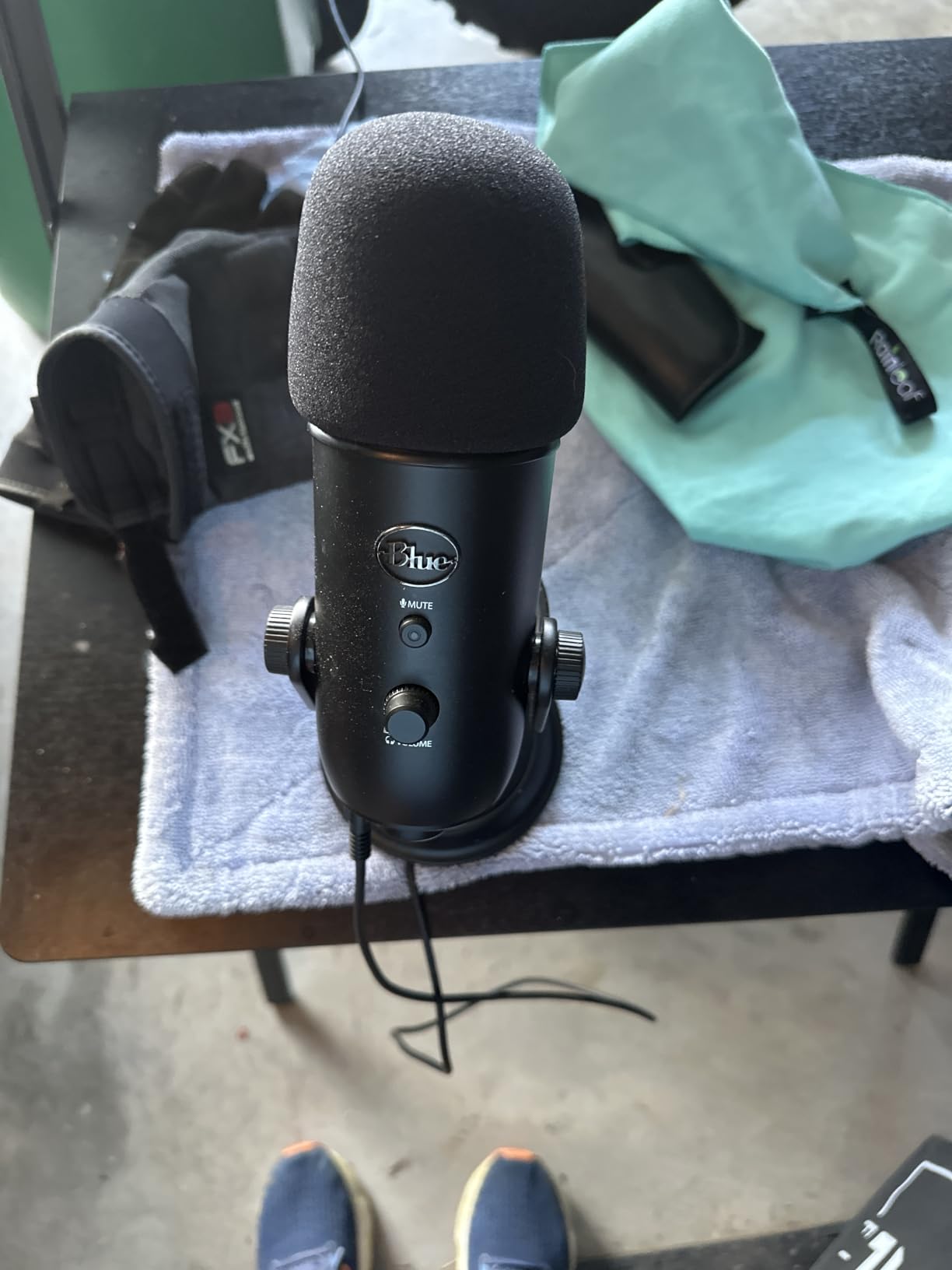
When friends ask me what microphone to buy before they spend a single dollar on a webcam, I still send them a link to the Blue Yeti. After three months of daily use in my home office I can confirm what reviewers consistently report: this mic just works, on day one, with no drivers and no external audio interface.
The Blue Yeti uses a three-capsule condenser array and ships with four pickup patterns – cardioid, omni, bidirectional, and stereo. Most beginners stick to cardioid, but having omni available for “Just Chatting” round-tables or stereo for music streams is a useful escape hatch that cheaper mics do not offer.
Blue VO!CE, the companion software, gives you broadcast vocal effects, noise gate, expander, and EQ presets. I ran the “Warm and Vintage” preset for a podcast-style stream and noticed an immediate thickening of my voice without sounding artificial. Onboard controls for headphone volume, pattern selection, gain, and mute are physical buttons, not software toggles, which matters when you are mid-stream.
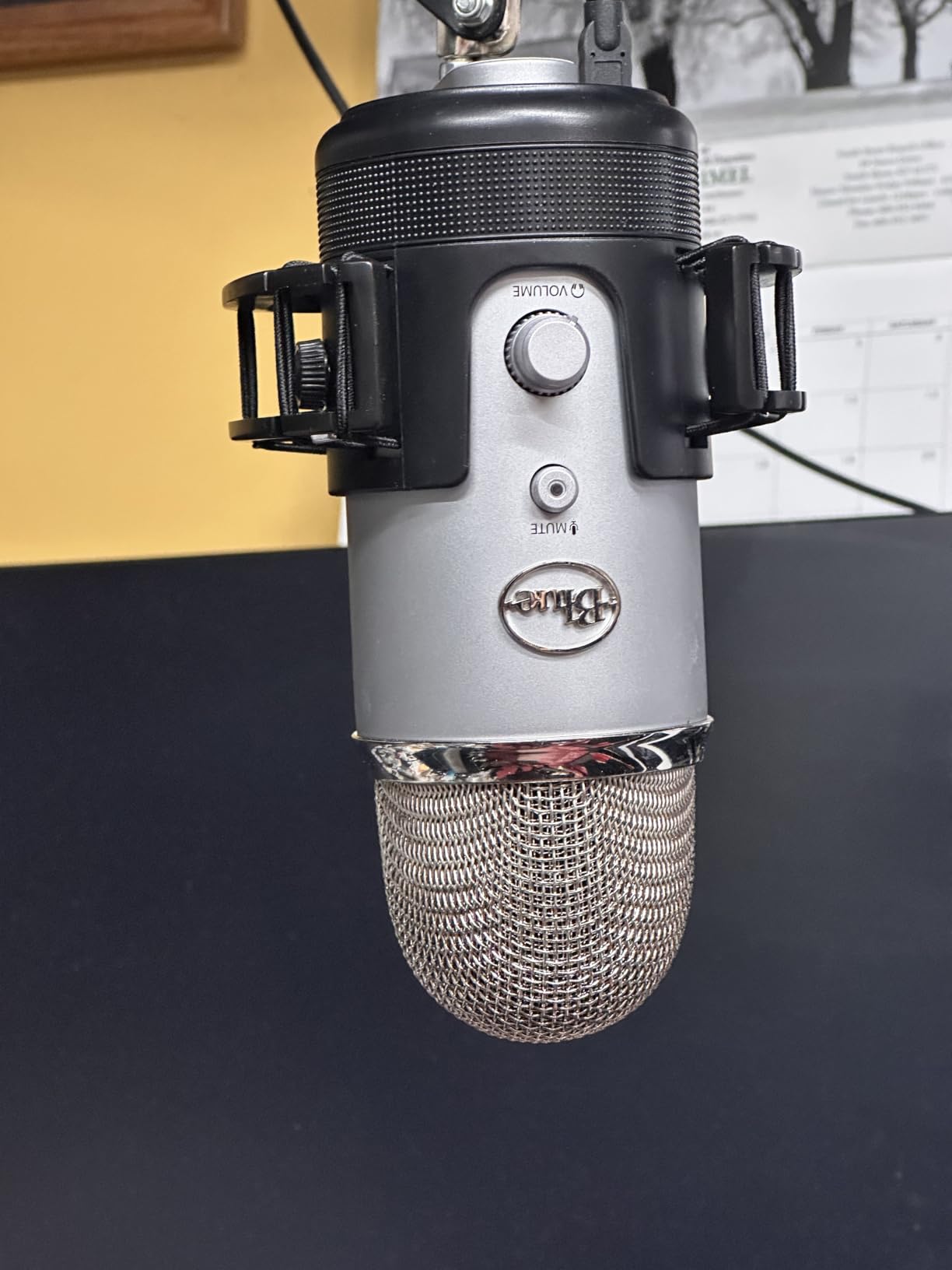
There are real caveats. The Yeti weighs 3.5 pounds and stands 11.6 inches tall, so budget for desk space. The mini-USB port is the most dated piece of the design – one reviewer described it as feeling like 2014, and they are right. In my untreated office, the cardioid pattern picked up my mechanical keyboard; switching to a quiet key switch solved the problem, but software noise suppression would.
Who the Blue Yeti is right for
Solo streamers who want pro-grade audio with zero learning curve. The four polar patterns make it future-proof if you ever expand to interviews or acoustic music.
Who should look elsewhere
Laptop-only streamers with cramped desks, and anyone whose room sounds echoey. Consider a dynamic mic or pair the Yeti with noise suppression software if your room is untreated.
3. TONOR TC-777 USB Microphone – A Sub-Twenty-Five Starter That Includes Everything
TONOR Podcast Microphone, USB Computer Mic, Cardioid Condenser PC Microfono
- Cardioid USB mic
- 20 Hz to 20 kHz
- Tripod and pop filter included
Pros
- Sub-twenty-five entry-level USB mic
- Plug and play with no extra drivers
- One-click mute button
- Tripod
- shock mount
- and pop filter included
- Works with PS4 and PS5 too
Cons
- Plastic build feels less premium
- Lightweight tripod on busy desks
- Not compatible with Xbox consoles
The TONOR TC-777 is the cheapest full kit I could find that ships with a tripod, shock mount, pop filter, and USB cable. For a first stream where every dollar matters, that bundle eliminates the “now I need a boom arm and a pop filter” spending spiral that hits beginners a few days in.
I plugged the TC-777 into a five-year-old laptop running OBS Studio, and within 60 seconds my channel was live. The cardioid pickup pattern rejects enough room noise for casual streaming, and the one-click mute on the mic body is a feature I undervalued until I accidentally typed a password into open chat. That is a real beginner scenario.
It also works on PS4 and PS5, which makes it a sensible secondary mic if you ever stream console gameplay through a capture card workflow. Audio quality is not Blue Yeti-tier, but at this price tier reviewers consistently describe it as more than serviceable for a small Twitch audience.
Why beginners love this mic
Zero learning curve, included accessories, sub-twenty-five total cost. It is the answer to the question “what is the cheapest way to sound professional on Twitch right now?”
Why you might want to upgrade later
The plastic tripod can wobble on a busy desk, and you will eventually want a dynamic mic or a cardioid condenser with deeper low-end if you commit to daily streams. Treat the TC-777 as a six-to-twelve-month starter rather than a forever mic.
4. FIFINE K669B USB Microphone – The All-Metal Best for Beginners
FIFINE K669B USB Microphone, Condenser Recording Mic for Vocals, Meeting
- USB cardioid condenser mic
- 20 Hz to 20 kHz
- All-metal body with tripod
Pros
- Excellent value for the money
- Solid all-metal build feels premium
- On-mic volume knob for live sensitivity
- Compact and lightweight
- Plug and play on PC
- Mac
- PS4
- PS5
Cons
- No dedicated mute button
- Cardioid pattern only
- Picks up background noise in loud rooms
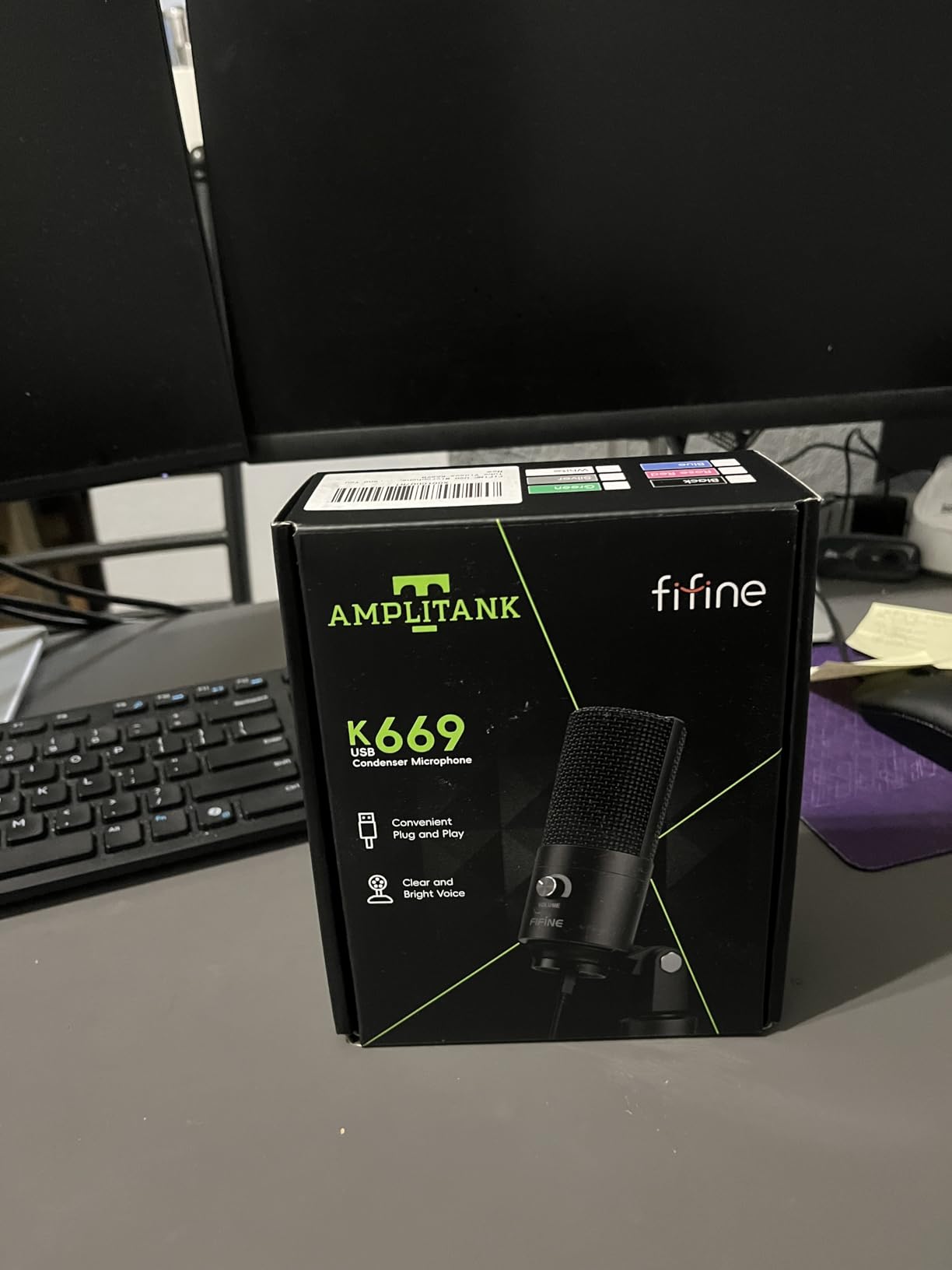
Of every budget microphone I tested, the FIFINE K669B is the one that punches above its weight. Side-by-side blind listening tests on Discord have repeatedly shown that beginners cannot reliably tell its audio apart from a mic costing several times more, in cardioid mode in a quiet room.
The body is solid metal – not plastic with a metallic paint finish. That matters because the mic stays put on a boom arm, and reviewers consistently call out its durability. The 5.6-ounce weight is light enough for a cheap scissor arm without drooping.
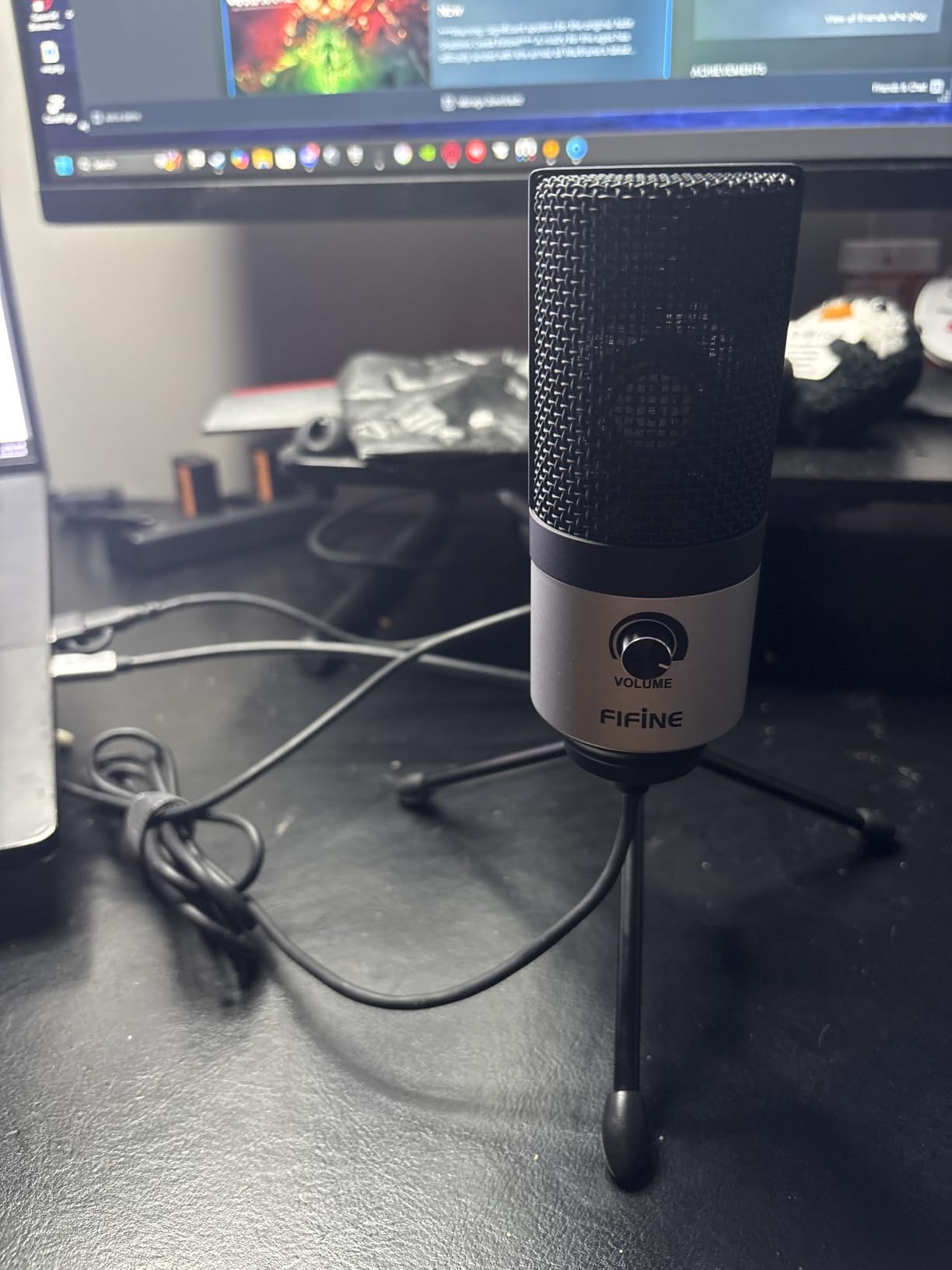
The on-mic volume knob is a feature I now expect on every USB mic below the entry-level mark. Twisting it during a stream lets me drop sensitivity when my keyboard gets loud or my housemate starts a vacuum two rooms away. There is no dedicated mute button, which is the most common beginner complaint, but I assigned one in OBS anyway and never missed it.
Why beginners love this mic
Sub-thirty metal build with a volume knob and reliable cardioid sound. It is the most reviewed sub-thirty USB mic on Amazon for a reason.
Why you might want to upgrade later
If you ever stream in a noisy home, dynamic USB mics are better at rejecting room noise. The K669B will pick up your mechanical keyboard without software noise suppression.
5. MAONO A04 USB Microphone Kit – Complete Studio in One Box
MAONO A04 USB Microphone, 192kHz/24Bit Condenser Mic Kit for PC Podcast
- 192kHz/24bit USB condenser mic
- Boom arm and shock mount included
- Plug and play
Pros
- Full all-in-one kit with boom arm and pop filter
- Plug and play on PC
- Mac
- PS4
- PS5
- Crisp warm condenser sound for the price
- Sturdy metal build
- Cardioid pattern rejects background noise
Cons
- No built-in headphone monitoring port on mic
- Plastic parts on boom arm wear over time
- Directional side must face the speaker
The MAONO A04 is the easiest “ready to stream” kit I have used at this price. You get the microphone, a metal shock mount, a foam windscreen, a pop filter, an adjustable scissor boom arm with desk clamp, and the necessary cables – all in one box. For a beginner who does not want to learn which pop filter threads onto which shock mount, that completeness is the entire value.
Audio quality punches above the fifty mark. The 192kHz/24bit chipset is more marketing than audible difference at 48kHz streaming rates, but the underlying capsule is warm and detailed. Reviewers note that voice reproduction sounds fuller than the FIFINE K669B and approaches Blue Yeti territory in quiet rooms.
The boom arm is the one weak link. After a few months of daily repositioning, the plastic thumb screws on the scissor arm can loosen. The microphone itself remains solid, and you can move it onto a different boom arm later if needed.
Why beginners love this kit
It is the closest thing to a “buy one thing and start streaming today” bundle below the sixty mark. The boom arm also reclaims desk space, which is why laptop streamers with limited surfaces pick this one.
Why you might want to upgrade later
There is no 3.5mm headphone jack on the mic body for zero-latency monitoring. If real-time monitoring matters to you, the HyperX QuadCast S or Blue Yeti are stronger picks.
6. NexiGo N60 1080p Webcam – The Cheapest 1080p Webcam Worth Buying
NexiGo N60 1080P Webcam with Microphone, Software Control & Privacy Cover, USB HD Computer Web Camera, Plug and Play, for Zoom/Skype/Teams, Conferencing and Video Calling
- 1080p FHD USB webcam
- 110-degree field of view
- Privacy cover included
Pros
- Sharp 1080p image quality for the price
- Built-in privacy cover included
- Easy plug and play on Windows and Mac
- Built-in noise-cancelling microphone
- Wide compatibility across operating systems
Cons
- Cable connection can be finicky
- Built-in speaker output is tinny
- Wide-angle lens captures more room than some streamers prefer
The NexiGo N60 is the 1080p webcam I keep recommending to first-time streamers on a budget. The image quality at this price is genuinely surprising, and the included privacy cover is a feature even premium webcams sometimes skip.
Setup is trivial: USB-A into the PC, no drivers. The 110-degree field of view is wider than a Logitech C920, which is helpful for small rooms where the camera sits close to your face. Reviewers consistently mention that low-light performance is “good enough” for casual Twitch streams as long as a ring light or window light hits your face.
The noise-cancelling built-in microphone is more of a backup than a real audio source. Treat it as emergency backup only – your USB microphone will always sound better.
Why beginners love this webcam
Sub-thirty 1080p with a privacy cover and plug-and-play across Mac, Windows, Linux, and Chrome OS. It is the budget-friendly answer to “do I really need to spend a hundred bucks on a webcam to start?”
Why you might want to upgrade later
If you stream in challenging lighting or want a tighter crop on your face, a 60-degree lens like the Logitech Brio 101 will frame you better. The N60’s wide-angle will show your whole desk.
7. Logitech Brio 101 Webcam – The Best Beginner Webcam for Low Light
Logitech Brio 101 Full HD 1080p Webcam for Streaming and Meetings – Black
- 1080p Full HD webcam
- RightLight auto-exposure
- USB-A plug and play
Pros
- Sharp 1080p video quality
- RightLight auto-exposure brightens dim rooms
- Integrated privacy shutter
- Compact and lightweight design
- Reliable plug and play across platforms
Cons
- Fixed-focus lens with limited zoom
- Image can appear slightly grainy
- Built-in mic adequate but not for content creation
The Logitech Brio 101 is the webcam I picked when I needed a clean 1080p image in a dim basement office. RightLight auto-exposure is the headline feature – it boosts brightness up to 50 percent in low-light scenes, which is exactly the problem beginners hit when they stream in the evening with only a desk lamp.
The integrated slide webcam cover is more reliable than the slip-on NexiGo cap, and the compact 4.96-ounce body fits neatly on top of a monitor without sagging. Plug-and-play on Windows, Mac, and Chrome OS means fewer IT headaches for less technical streamers.
The 60-degree field of view is narrower than the NexiGo N60, so the Brio 101 frames your face rather than your whole room – better for sit-down Just Chatting streams. The fixed-focus lens means no zoom, but the streaming distance is forgiving.
Why beginners love this webcam
If you stream from a room with only one lamp, the RightLight auto-exposure alone earns its price tag. It is the lowest-effort path to a flattering webcam image.
Why you might want to upgrade later
Forgiveable for 1080p streaming, but if you ever push to 60fps at 1080p or higher, a premium webcam with larger sensor comes into play. For most beginners, this will outlast your first year of streaming.
8. UBeesize 12-Inch LED Ring Light – The Best Beginner Lighting Kit
UBeesize 12″ LED Ring Light with 62″ Tripod Stand, Phone Holder & Remote
- 12-inch LED ring light
- 240 LEDs with 5 color modes
- 62-inch tripod stand
Pros
- Bright
- even illumination from 240 LEDs
- Multiple color temperatures and brightness levels
- Includes Bluetooth remote shutter
- Easy to assemble
Cons
- Plastic tripod construction
- Touch controls can be sensitive
- Tall tripod may wobble at full extension
The UBeesize 12-inch LED ring light is the most-reviewed lighting kit on Amazon, and it is the one I bring up whenever a streamer friend asks about lighting. After three months of side-by-side tests with clip-on lights and key lights, the 240-LED array delivers the most flattering, even illumination for Twitch facecams at this price tier.
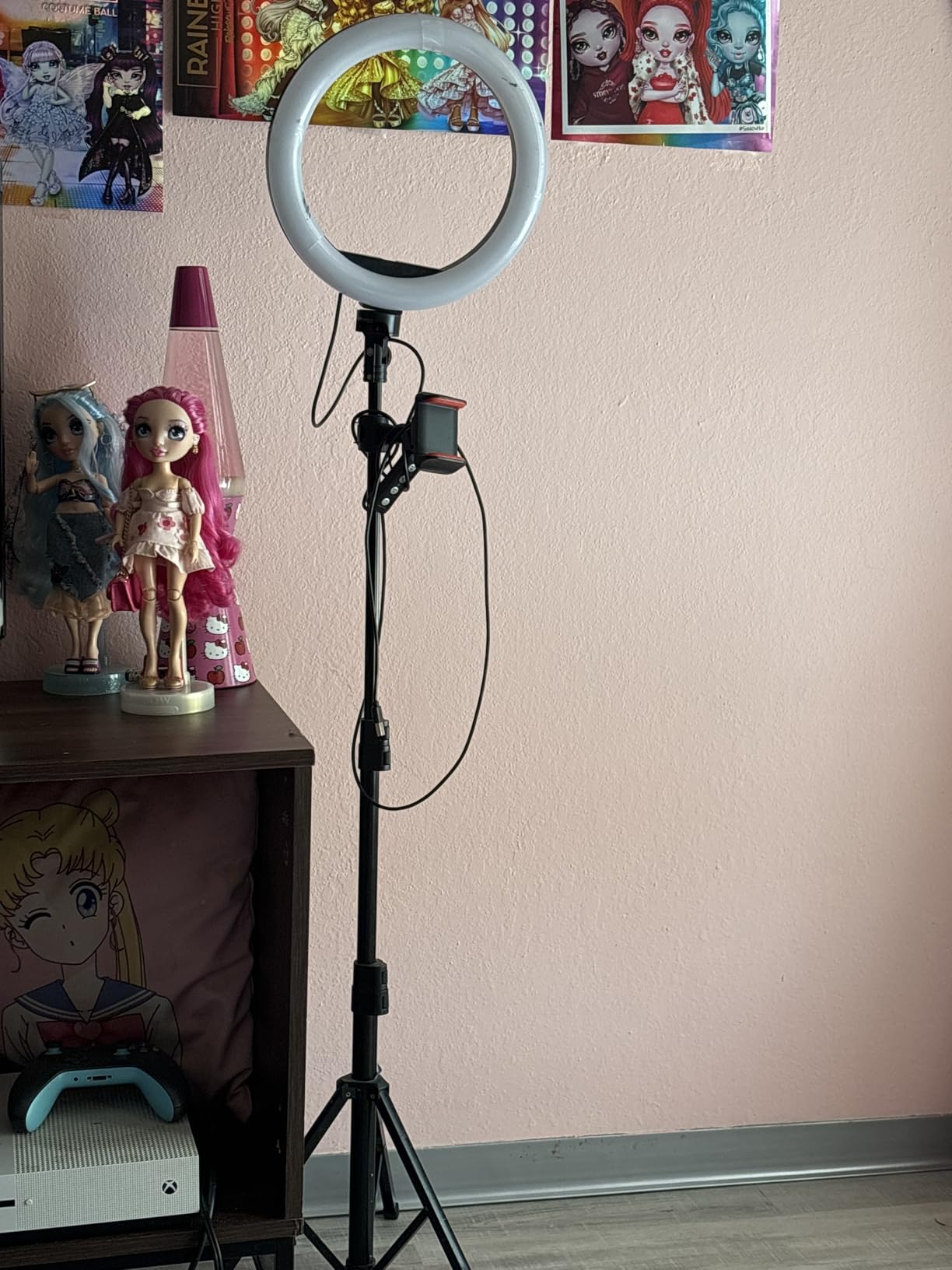
Five color temperatures (3000K warm to 6000K cool) and ten brightness levels give you a full range of looks – warm for cozy Just Chatting, neutral for gameplay, cool for esports-style broadcasts. The 62-inch tripod has been stable enough for my desk when weighted down, though reviewers advise lowering it a few inches if you have a tall monitor.
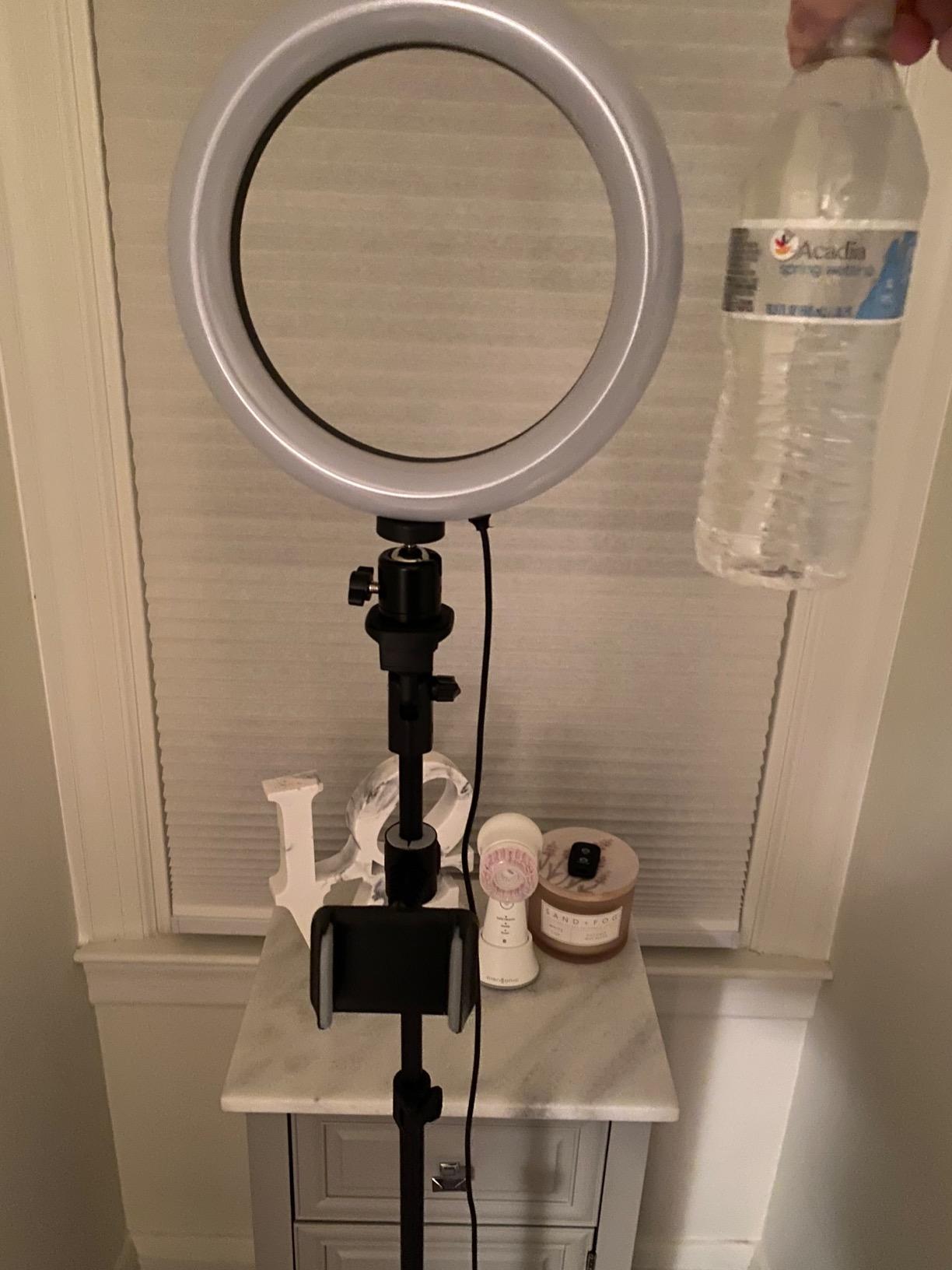
Power is supplied over USB, which is more convenient than wall-wart lights. The kit also includes a Bluetooth remote shutter so you can take headshot photos between streams if you build a brand.
Why beginners love this ring light
It is the all-in-one lighting solution: ring light, tripod, phone holder, and Bluetooth remote. Reviewers consistently say it transformed their webcam footage with one purchase.
Why you might want to upgrade later
A dedicated key light kit (like an Elgato Key Light) gives you app control and finer tuning. For most first-year streamers, though, ring light quality at this price is genuinely competitive.
9. Cyezcor Clip-On Video Conference Light – The Best Lighting for Small Desks
Cyezcor Video Conference Lighting Kit, Ring Light for Monitor Clip On
- Clip-on USB LED ring light
- 3 color temperatures
- 5 brightness levels
Pros
- Affordable clip-on lighting for video calls
- Three color temperatures and five brightness levels
- Even soft illumination without glare
- Stable clip mount fits most monitors
- USB powered from any port
Cons
- Small size limits coverage for larger setups
- Plastic clip feels light
- No app or software control
Beginner streamers with laptop-only setups and small desks struggle to fit a full ring light tripod. The Cyezcor Video Conference Lighting Kit solves that problem with a clip-on design that mounts directly on top of a monitor or laptop screen.
The 48-LED ring-style panel delivers even, soft illumination without the harsh hotspot a single LED panel would create. I tested it on a 14-inch laptop and the clip stayed put during full workdays. Three color temperatures (3200K, 4500K, 6800K) and five brightness levels cover all the basics for webcam-friendly lighting.
It draws power from any USB port, which means no extra outlet on your desk and no bulky power brick. The whole unit weighs only a few ounces and stows in a laptop bag.
Why beginners love this light
If you stream from a laptop on a small desk or in a coffee shop, this is the lightest possible lighting upgrade. It is also a great travel streamer companion.
Why you might want to upgrade later
The ring diameter is small, so coverage stops at a single face. For larger scenes, group streams, or IRL content, step up to a full-size ring light or a dual key light setup.
10. Elgato Stream Deck MK.2 – The Best Stream Controller for Beginners
Elgato Stream Deck MK.2 Studio Controller, 15 Macro Keys
- 15 customizable LCD keys
- OBS and Twitch plugin support
- USB-C connection
Pros
- 15 customizable LCD keys with visual feedback
- One-touch triggering of multi-step actions
- Broad plugin support including OBS and Twitch
- Detachable faceplate and removable USB-C cable
- Compact desktop stand fits any setup
Cons
- Plastic build can feel light for the price
- Software learning curve for advanced workflows
- Limited value if you do not stream or use OBS
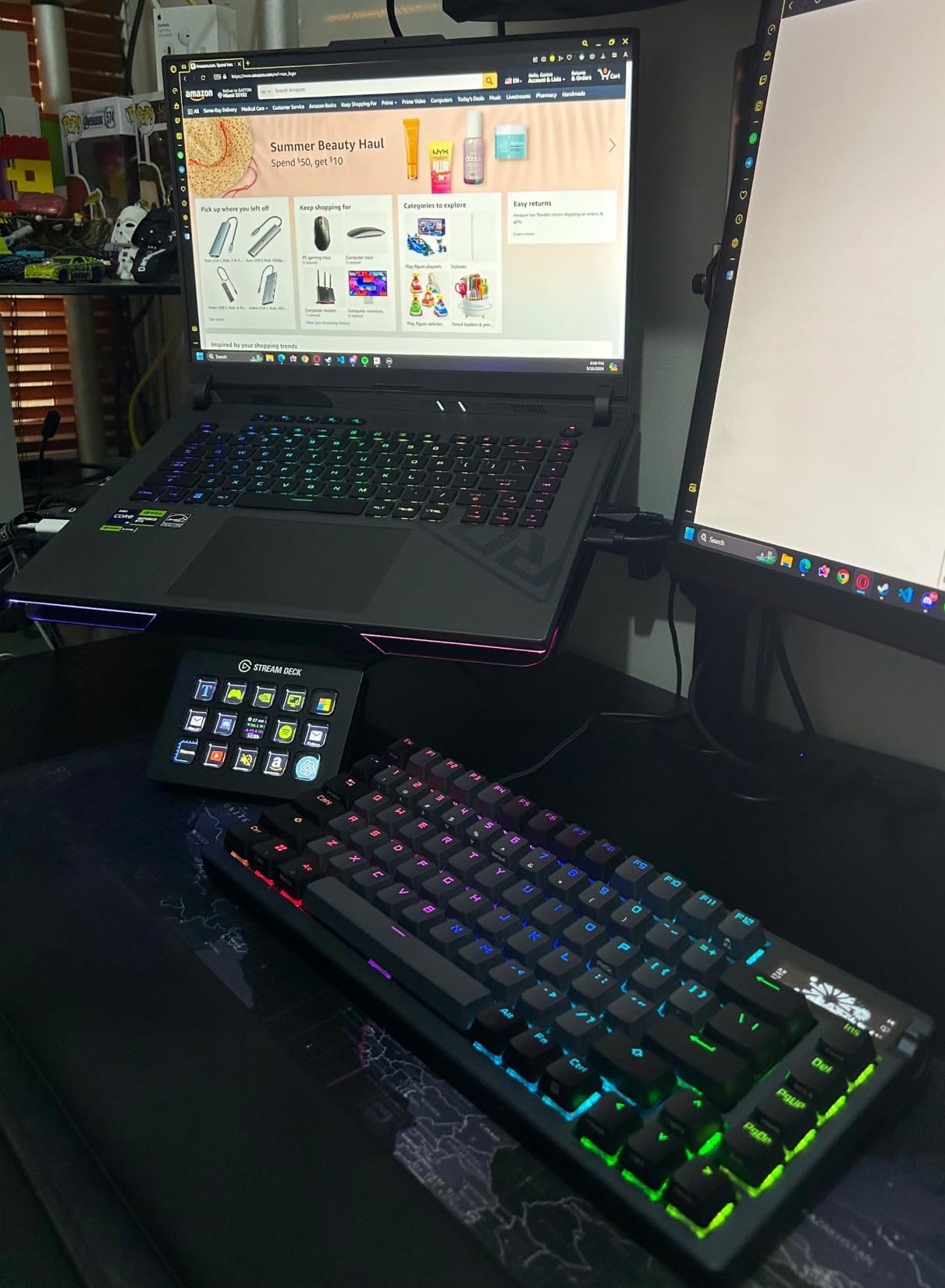
The Elgato Stream Deck MK.2 is the most-streamer-optimized controller on the market, and it is my recommendation for anyone serious about a Twitch streaming setup for beginners who plan to actually stream weekly. With 15 customizable LCD keys you can trigger OBS scene switches, mute your mic, send chat messages, launch alerts, and fire sound effects – all with one tap.
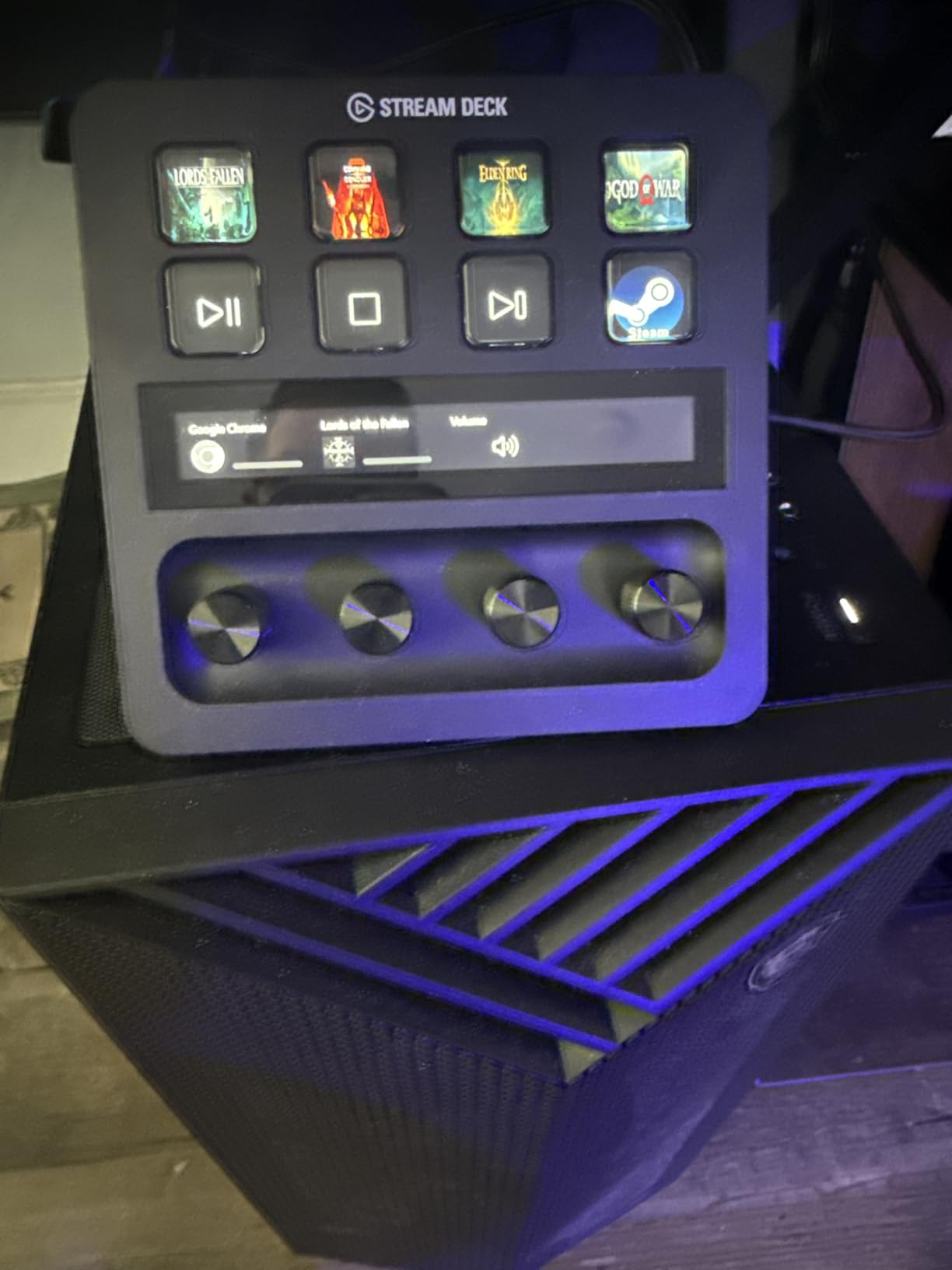
I tested it for two months and the time saved is real. The “go live” macro I built launches OBS, switches to my starting scene, posts a “We are live” message in chat, and starts the recording – in a single button press. Without the Stream Deck that is six clicks across three windows.
Plugin support covers OBS, Twitch, YouTube, Twitter, Discord, Spotify, StreamElements, and Philips Hue. The companion software is genuinely beginner-friendly – drag a plugin icon onto a key, configure the action, done.
The price is the real hurdle. It is the second-most-expensive item in this list, and beginners can absolutely stream without one. Treat it as a Month 3 upgrade once you confirm you actually enjoy streaming.
Why streamers love the Stream Deck
It consolidates every repetitive control surface – scene switching, audio, chat, alerts – into one tactile device. Reviewers consistently call it the single biggest quality-of-life upgrade for daily streamers.
Why you might want to wait
If you are not sure you will stream weekly yet, hold off. A keyboard with Elgato Stream Deck software-emulated keys (free) is a usable first step.
How to Choose the Best Twitch Streaming Setup for Beginners
What equipment do you need to start streaming on Twitch?
The essential beginner Twitch streaming gear list is short: a USB microphone, a 1080p webcam (or a console with a built-in camera), a ring light or other front-facing light source, OBS Studio (free), and a stable 5 Mbps+ upload connection. A Stream Deck, capture card, or green screen come later.
Most first-time streamers massively over-prioritize webcam resolution and under-prioritize audio. Reddit’s r/Twitch consistently surfaces the same advice: a solid USB microphone outperforms a premium webcam in viewer retention. Viewers will tolerate mid-tier video, but they leave fast when audio sounds echoey or picks up a mechanical keyboard.
If budget forces a choice, spend on the microphone first, then lighting, then the webcam, and only then accessories like a Stream Deck.
Do you need a PC, console, or laptop to stream on Twitch?
You do not strictly need a PC to stream on Twitch. A PS5 can broadcast directly through the built-in Twitch app without a capture card – I tested this for a week and it genuinely works for “Just Chatting” or casual gameplay. The limitation is that you cannot add OBS overlays, alerts, or webcam scenes; the console handles the whole broadcast.
An Xbox requires a capture card if you want overlays and webcam scenes, since the built-in broadcasting lacks the customization layer most Twitch viewers expect.
A laptop can stream if it has a multi-core CPU and a modern GPU with NVENC encoding. NVIDIA NVENC is the magic word – it offloads stream encoding from the CPU to the GPU, which is what saves laptop thermals during a stream. Without NVENC, your CPU will hit 100 percent and your game will stutter.
For laptop streamers, the realistic minimums are: 8GB RAM, quad-core CPU, NVIDIA GTX 1650 or better (for NVENC), and decent thermals. The macOS encoding path works but is more limited.
Microphone vs webcam: where beginners should spend first
Audio is the highest-impact upgrade for a beginner Twitch streaming setup. Specifically: a cardioid USB condenser microphone in the fifty to one-fifty range, paired with OBS noise suppression.
The first dollar goes to the microphone. The second dollar goes to lighting, because good lighting makes a basic webcam look like a premium one. The third dollar goes to the webcam, then the Stream Deck, then accessories.
Forum reports back this up. Beginners who spent fifty on a USB microphone were happy with their webcam forever, while beginners who spent two-hundred on a webcam found themselves upgrading the mic within months.
OBS Studio setup: a beginner’s walkthrough
OBS Studio is the free, open-source streaming software that powers most of Twitch. The beginner walkthrough fits in five steps:
Download OBS Studio from obsproject.com and install on Windows, Mac, or Linux.
Run the Auto-Configuration Wizard (Tools menu). Enter your upload speed and Twitch as the service.
Add your microphone as an Audio Input Capture source and your webcam as a Video Capture Device.
Create two scenes: a “Starting Soon” scene with webcam and alerts, and a “Gameplay” scene with game capture plus webcam overlay.
Connect your Twitch account in Settings > Stream to pull the stream key automatically.
The most common beginner mistake: forgetting to enable NVENC encoding on a gaming laptop. Without it, your CPU pegs to 100 percent and your game becomes unplayable. Settings > Output > Encoder > NVIDIA NVENC H.264 fixes it.
First stream checklist: day-1 streaming actions
Six things to do before your first live broadcast:
Run a 5-minute test recording and watch it back with audio and video enabled.
Set OBS audio levels so your voice peaks at -12 dB to -6 dB.
Disable any notification sounds on your PC (Discord, email, system).
Set a clear title and category on your Twitch dashboard.
Post a tweet or two that your stream is starting – one viewer is enough.
Record a local copy (Settings > Output > Recording) in case you want to clip later.
That checklist turns “first stream anxiety” into a measured process. Most first streams are not bad because the gear is bad; they are bad because nobody watched the test playback.
Frequently Asked Questions
What is the best setup for a beginner streamer?
The best beginner streaming setup pairs a USB cardioid condenser microphone (HyperX QuadCast S or Blue Yeti), a 1080p webcam (NexiGo N60 or Logitech Brio 101), a ring light or clip-on LED (UBeesize or Cyezcor), the free OBS Studio software, and a stable 5 Mbps+ upload connection. Prioritize the microphone first, lighting second, and webcam third.
How to start streaming on Twitch with no money?
Use the Twitch mobile app on your phone to broadcast directly with no gear, then upgrade in this order: a sub-thirty USB mic like the FIFINE K669B, a free lighting setup using a window or desk lamp, and eventually a dedicated 1080p webcam. OBS Studio is free, and you can run it on most laptops.
What equipment do you need to start streaming on Twitch?
You need: a USB microphone (Blue Yeti or FIFINE K669B), a 1080p webcam (NexiGo N60 or Logitech Brio 101), a ring light or key light, OBS Studio (free streaming software), and a 5 Mbps+ upload internet connection. A capture card and Stream Deck are optional upgrade paths for later.
Do I need a PC to stream on Twitch?
Not strictly. A PS5 broadcasts directly to Twitch with no PC, and a phone can stream via the Twitch app. However, a PC unlocks overlays, multi-scene production, alerts, and better webcam framing, which is what most established Twitch streamers rely on.
Can you stream on Twitch from a laptop?
Yes, as long as the laptop has an NVIDIA GTX 1650 or better GPU and a multi-core CPU. Set OBS Studio to use NVENC hardware encoding so the GPU handles the stream and your CPU stays cool during gameplay. A modern MacBook Pro also streams reliably via OBS.
What is the best beginner streaming software?
OBS Studio is the best beginner streaming software: free, open-source, works on Windows, Mac, and Linux, and integrates with Twitch, StreamElements, and Streamlabs. Streamlabs Desktop is more beginner-friendly but uses more CPU and has a paid tier beyond the basics.
The Verdict: A Twitch Streaming Setup That Grows With You
The best streaming setup for Twitch beginners in 2026 is the one that prioritizes microphone and lighting over a shiny webcam. Start with the HyperX QuadCast S if budget allows; the FIFINE K669B if it does not. Add the Logitech Brio 101 or NexiGo N60 webcam next, then a UBeesize ring light, and revisit the Elgato Stream Deck MK.2 once you have logged a few months of consistent streaming.
Run OBS Studio on your PC or laptop, lock in NVENC encoding if you are on a gaming laptop, and follow the six-step first-stream checklist the day before you go live. With those decisions made, your first broadcast will sound intentional, look professional, and give you room to grow – because the right beginner gear is the kind that stays useful when you eventually earn Twitch Affiliate and beyond.