
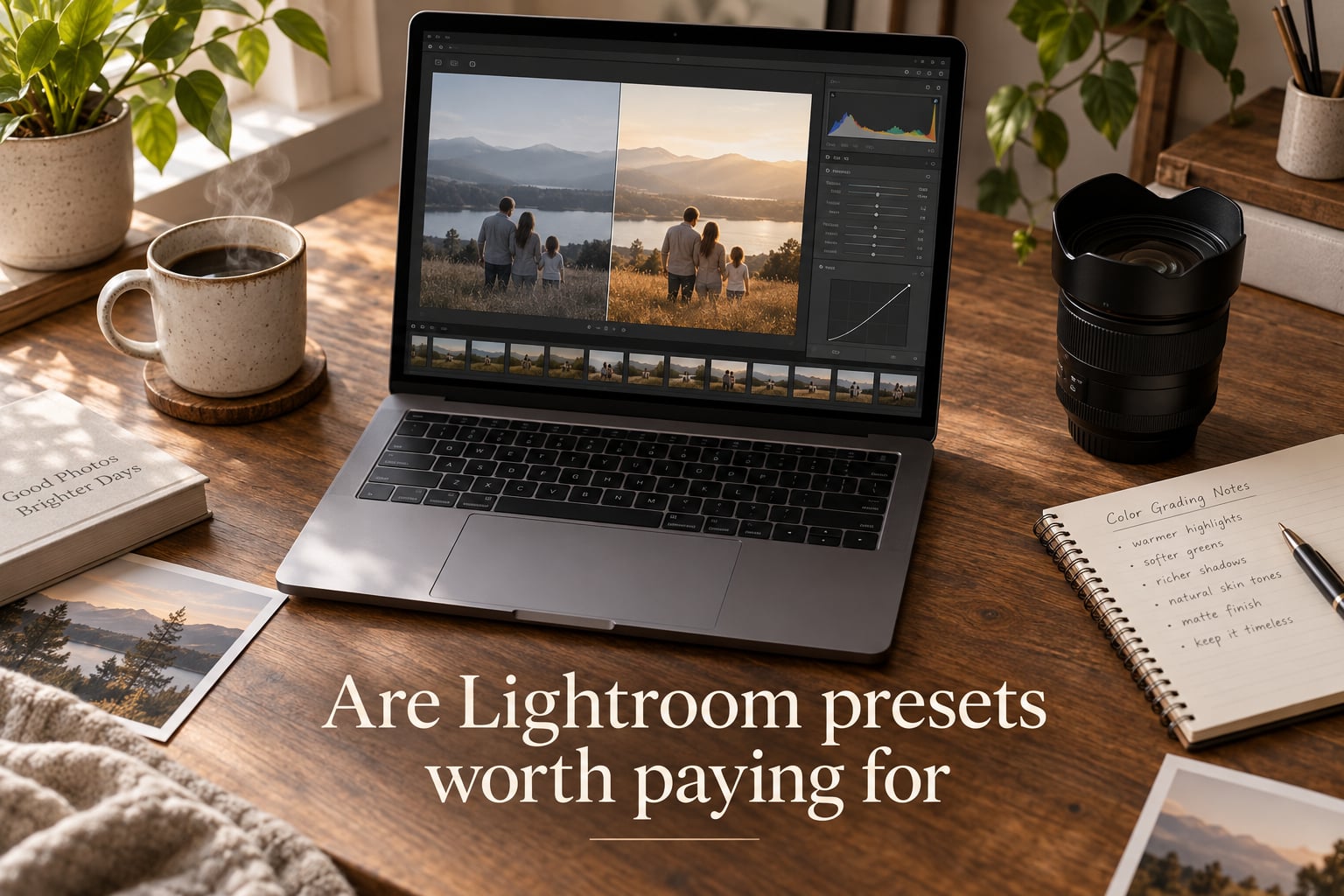
Yes, Lightroom presets are often worth paying for — but only when they solve a real editing problem you already have. After editing family sessions for years in our studio, I have bought dozens of packs, kept three, and deleted the rest. The honest answer to “are Lightroom presets worth paying for” comes down to volume, intent, and the creator behind the pack.
If you shoot a handful of phone photos a month, free presets or your own tweaks are plenty. If you deliver client galleries, run a consistent Instagram feed, or edit the same scene on repeat, the right preset pack pays for itself in saved minutes per image. Keep reading for the framework I use to decide.
Table of Contents
- Quick Answer: Are Lightroom Presets Worth Paying For?
- What Are Lightroom Presets and How Do They Work?
- 5 Reasons Lightroom Presets Are Worth Paying For
- 5 Reasons Presets Are NOT Worth Paying For
- Free vs Paid Lightroom Presets: What You Actually Get
- Are Lightroom Presets Worth It for Family Photography?
- Who Should Buy Lightroom Presets (and Who Should Skip)?
- Buy presets if you are a wedding or portrait photographer
- Buy presets if you are a content creator with a defined aesthetic
- Buy presets if you are a beginner learning Lightroom
- Buy presets if you are a family or newborn photographer
- Skip presets if you only edit a handful of photos per month
- Skip presets if you already have a strong manual workflow
- Skip presets if you are still learning basic exposure
- How to Evaluate Presets Before You Spend a Dollar
- Frequently Asked Questions
- The Honest Verdict on Paying for Lightroom Presets
Quick Answer: Are Lightroom Presets Worth Paying For?
Lightroom presets are saved sets of editing adjustments — exposure, contrast, color grading, tone curve, and more — that you can apply to any photo with one click. They are worth paying for when they save time, ensure consistency across a gallery, and come from a creator who calibrated them across multiple cameras and lighting conditions. They are not worth paying for if you can replicate the look yourself in a few sliders, only edit a handful of photos a month, or the preset was built from a single hero image.
What Are Lightroom Presets and How Do They Work?
A Lightroom preset is a reusable editing recipe. When a photographer dials in a look they like in the Develop module, Lightroom lets them save every slider value — exposure, white balance, tone curve, HSL, split toning, color grading — into a single file. That file is the preset. Apply it to another photo and every slider snaps to those saved values instantly.
Modern presets ship as XMP files, which work across Lightroom Classic, Lightroom CC, Lightroom Mobile, and Photoshop Adobe Camera Raw. Older presets use the .lrtemplate format and only work in Lightroom Classic desktop. Most reputable sellers now send both formats so you can edit on a phone or tablet.
Presets are not magic. They are a starting point. Once applied, you still tweak exposure, white balance, and skin tones for the specific image. Think of a preset as the base coat — your edits are the second and third coat that make it match your subject.
What is a Develop Preset?
A Develop Preset is the most common type. It controls everything in Lightroom’s Develop module: tone, color, detail, effects, and color grading. When people say “Lightroom preset,” they almost always mean a Develop Preset.
How presets differ from profiles
Creative Profiles change how Lightroom interprets your RAW file’s color and tone at a base level — they happen before edits. Presets happen on top of profiles. A preset built for a Sony RAW file on the Standard profile will look different on the same image with a Vivid or Adobe Color profile. This is one reason presets need calibration across camera brands.
5 Reasons Lightroom Presets Are Worth Paying For
When the conditions line up, presets deliver real value. Here are the five benefits our studio has measured over years of editing.
1. They save serious editing time
Wedding photographers regularly edit 800 to 2000 images per event. Family sessions run 80 to 200. Apply a preset as a base, tweak three or four sliders per image, and you cut editing time by 30 to 60 seconds per photo. Across a 150-image gallery, that is over an hour saved. Across a wedding day, it is a full workday.
2. They create consistency across a gallery
Every image in a client gallery should feel like it belongs to the same shoot. Presets keep your whites white, your greens green, and your skin tones consistent from frame one to frame 500. Without that consistency, a gallery looks like a patchwork of editing moods.
3. They build a recognizable signature look
Family and portrait studios live or die by their signature look. A well-built preset lets a studio deliver the same warm, clean edit that clients associate with the brand — even when a second shooter is editing on the road.
4. They teach you how Lightroom works
Reverse-engineering a preset is one of the fastest ways to learn Lightroom. Open the preset on a photo, then uncheck or change individual sliders one at a time. Watch the tone curve react, watch the HSL sliders shift, watch how a small white balance change cascades through the whole image. Reviewers on r/Lightroom and r/photography repeatedly mention this as the real long-term value of paid packs.
5. They handle batch editing without burnout
Modern Lightroom Classic lets you apply a preset to a whole folder, then sync edits across the gallery. Pair that with the masking tools introduced in the last few versions, and you can apply a base preset, then mask subject for skin tone tweaks and sky for a separate grading pass — all in a fraction of the time it used to take.
5 Reasons Presets Are NOT Worth Paying For
The honest flip side. I have wasted more money on presets than I would like to admit, and the pattern is predictable.
1. The cost adds up faster than you think
A mid-priced pack here, a bundle there, a creator sale pack on Instagram. Within a year, the average hobbyist photographer has spent hundreds of dollars on presets they never opened. The forum phrase “preset collecting” describes a real behavior — and the photographers in r/Lightroom who complain about it are usually the ones who bought three or more packs in a single quarter.
2. Most packs need significant tweaking
A preset built for golden-hour outdoor portraits will fall apart on overcast indoor family sessions. Built for Sony, it can wash out Canon colors. Built for one white balance setting, it shifts awkwardly under tungsten or fluorescent light. You still end up editing — and the time saved shrinks fast.
3. They homogenize your look
Buy the same popular pack that 10,000 other photographers bought, and your work starts to look like theirs. The “light and airy” era and the “dark and moody” era both produced hundreds of near-identical Instagram feeds. Photographers who want a genuine point of view eventually need to build their own presets from their own edits.
4. Free presets cover a lot of ground
Adobe ships built-in presets with Lightroom. Brands like RNI Films and Mastin Labs offer genuinely useful free sample packs. A beginner can absolutely learn with these and skip the paid market for months. The forum comment that “free presets are utter crap” usually refers to low-quality influencer packs on Instagram — not the free samples from established sellers.
5. Quality varies wildly even within one brand
I have bought from sellers whose wedding packs were great and their newborn packs were unusable. Preset creators are not professional colorists by default. Quality depends on the specific pack, not the brand logo. A trusted name does not guarantee every pack is calibrated across cameras and lighting conditions.
Free vs Paid Lightroom Presets: What You Actually Get
Free presets are worth using as learning tools and starting points. They are not worth using as a final signature look. Paid presets, when well-made, deliver a calibrated, tested, and supported editing recipe you can rely on for client work. The gap is real, but it is narrower than most sellers admit.
Where free presets shine
Built-in Lightroom presets ship with the software and most beginners never open them. Adobe’s B&W, Creative, and Color presets are genuinely useful. Established sellers like RNI Films and Mastin Labs offer limited free sample packs that demonstrate their paid quality. Reviewers consistently recommend these as the best free Lightroom presets available.
Where paid presets earn their price
A good paid pack includes presets calibrated across multiple camera brands, before/after examples shot in varied lighting, and updates when Adobe releases a new Lightroom version. Some sellers include a free Lightroom Mobile version and a desktop version in the same purchase. That kind of testing is real work, and it is what separates a premium paid pack from a free Instagram giveaway.
Where both fall short
Neither free nor paid presets can fix a poorly exposed photo. Neither replaces the skill of reading light and skin tones. The photographers who get the best results from presets are the ones who already understand manual editing — presets just give them a faster starting point.
Are Lightroom Presets Worth It for Family Photography?
Yes — and this is the angle our studio cares about most. Family photography is one of the clearest cases for buying a quality preset pack, because the workflow rewards consistency above all else.
Why presets work so well for family sessions
A single family session produces 80 to 200 images shot in constantly changing conditions — bright window light, lamp light, outdoor shade, backlit golden hour, indoor flash. A well-built preset keeps skin tones warm and consistent across all of it. Without that, a gallery feels uneven and clients notice even when they cannot articulate why.
Skin tones are the deciding factor
Family photography lives or dies on natural, healthy skin tones. A preset that crushes contrast or shifts orange will make children look sunburned and adults look tired. The best family photography presets — whether built in-house or purchased — preserve skin tone accuracy and only adjust the surrounding scene.
Newborn sessions demand extra care
Newborn sessions are 100% indoor, mostly soft natural light, and parents are paying premium prices. A preset that delivers the same warm, soft, creamy edit across 40 to 60 images is worth more than a generic pack. Many preset sellers offer a dedicated newborn collection for this exact reason.
Building a studio signature look
If you are building a family photography brand, a custom or curated preset becomes part of your identity. Clients come back because they like the look. The preset is the asset that lets a second shooter, an associate photographer, or a busy studio owner deliver the same look without burning out.
Who Should Buy Lightroom Presets (and Who Should Skip)?
This is the simplest way I frame the decision for new photographers in our studio. Match the audience to your actual situation.
Buy presets if you are a wedding or portrait photographer
You edit hundreds of images per event with a tight turnaround. Presets cut your editing time by half or more and keep your galleries consistent. The math works.
Buy presets if you are a content creator with a defined aesthetic
Instagram, blog, and brand work rewards a recognizable style. A preset gives you that style in one click across every image, no matter where you shoot.
Buy presets if you are a beginner learning Lightroom
A preset is a teaching tool. Apply it, then unwrap it one slider at a time. This is how most working photographers learned the Develop module. Pick one well-made paid pack or a free sample from a trusted seller and study it.
Buy presets if you are a family or newborn photographer
Same logic as wedding photographers, with even higher stakes on consistency. The preset becomes part of your studio’s identity.
Skip presets if you only edit a handful of photos per month
If you shoot a family vacation or a few portraits a month, the time savings will not pay back the cost. Stick with free built-in presets or tweak manually.
Skip presets if you already have a strong manual workflow
If you have spent years dialing in your own look and you edit quickly, most paid packs will feel generic. Build your own presets from your favorite edits instead.
Skip presets if you are still learning basic exposure
If you do not yet understand exposure, white balance, and the tone curve, presets will feel inconsistent and frustrating. Learn the basics first — the forum phrase “learn first, use presets later” comes up constantly on r/photography.
How to Evaluate Presets Before You Spend a Dollar
This is the part almost every preset-buying guide skips. A little testing before purchase saves a lot of regret after.
Look for free samples or trial packs
Reputable sellers offer a free sample pack or a few free presets. Download those first and apply them to your own photos — not the seller’s promo images, which are shot under perfect conditions. If the samples do not work on your real gallery, the paid pack will not either.
Check the before and after examples
Before and after images should be shot in realistic lighting. If every example is golden hour, backlit, or studio-lit, the preset was almost certainly tuned for those conditions only. Ask the seller for examples shot indoors, in shade, and in mixed light.
Read the refund and update policy
Digital products often have a 7 to 30 day refund window. If the seller does not offer one, that is a red flag. Confirm that updates are included when Adobe releases a new Lightroom version — locked presets break when XMP standards change.
Verify camera compatibility
Confirm the seller has tested the preset on your camera brand and RAW format. A preset calibrated for Sony often needs adjustment for Canon, Nikon, or Fuji. The best sellers list camera-specific calibration in their product description.
Check brand reputation and longevity
Preset creators come and go. A seller that has been in business five or more years is more likely to honor updates and support than a new Instagram creator. Look at how long the company has been around and how it handles complaints in comments and forums.
Watch out for inflated bundle counts
A “500 preset bundle” usually means 50 solid presets padded with 450 variations of the same look. Smaller, curated collections almost always deliver better value.
Test with mobile if you edit on a phone
If you edit on Lightroom Mobile or Lightroom CC, confirm the pack includes the XMP format that works there. Some sellers only ship .lrtemplate files, which will not sync to mobile.
Frequently Asked Questions
Are Lightroom presets worth paying for?
Yes, but only when they solve a real editing problem. Lightroom presets are worth paying for if you edit high volumes, need a consistent signature look, and the pack is calibrated across your camera and lighting conditions. They are not worth paying for if you only edit a few photos a month, can already replicate the look in a few sliders, or the preset was built from a single hero image.
Do professional photographers use Lightroom presets?
Yes. Most professional wedding, portrait, and family photographers use presets as a starting point and then tweak per image. Pros use presets because they speed up high-volume editing and keep galleries consistent. Some pros build their own presets from years of edits and never buy commercial packs.
What are the best free Lightroom presets?
The Lightroom built-in presets that ship with the software are the best place to start. Beyond those, RNI Films and Mastin Labs both offer free sample packs that demonstrate paid quality. Free Instagram giveaway packs are usually poorly calibrated and inconsistent, so avoid those.
What makes a Lightroom preset worth buying?
A preset is worth buying when it is calibrated across multiple camera brands, includes realistic before and after examples, ships with a refund policy, offers updates for new Lightroom versions, and matches your typical shooting conditions. If the seller cannot show examples shot in mixed lighting and different file types, the preset will not hold up on real client work.
Can Lightroom presets replace learning to edit?
No. Presets speed up editing for photographers who already understand exposure, white balance, and tone. If you do not understand those basics, presets will feel inconsistent and frustrating. Most photographers learn Lightroom fastest by applying a preset, then unwrapping it slider by slider to see what each control does.
Are Lightroom presets worth it for beginners?
Yes, with a caveat. Beginners benefit from presets as a learning tool and as a way to deliver polished edits early on. The caveat is that beginners should pick one well-made pack from a trusted seller and study it, rather than accumulating multiple packs. Free samples from established sellers are the safest first step.
The Honest Verdict on Paying for Lightroom Presets
Lightroom presets are worth paying for when you shoot in volume, need a consistent look, and buy from a creator who has calibrated the pack across real cameras and real lighting. They are not worth paying for when you only edit a handful of photos, can already dial in your look manually, or are tempted by flashy bundles that pad preset counts.
The honest answer to are Lightroom presets worth paying for is yes for working photographers and serious hobbyists, and not yet for beginners still learning the basics. Pick one well-made pack from a trusted seller, study it slider by slider, and let it teach you how Lightroom actually works. That single decision will save you more time and money than any bundle on Instagram.