
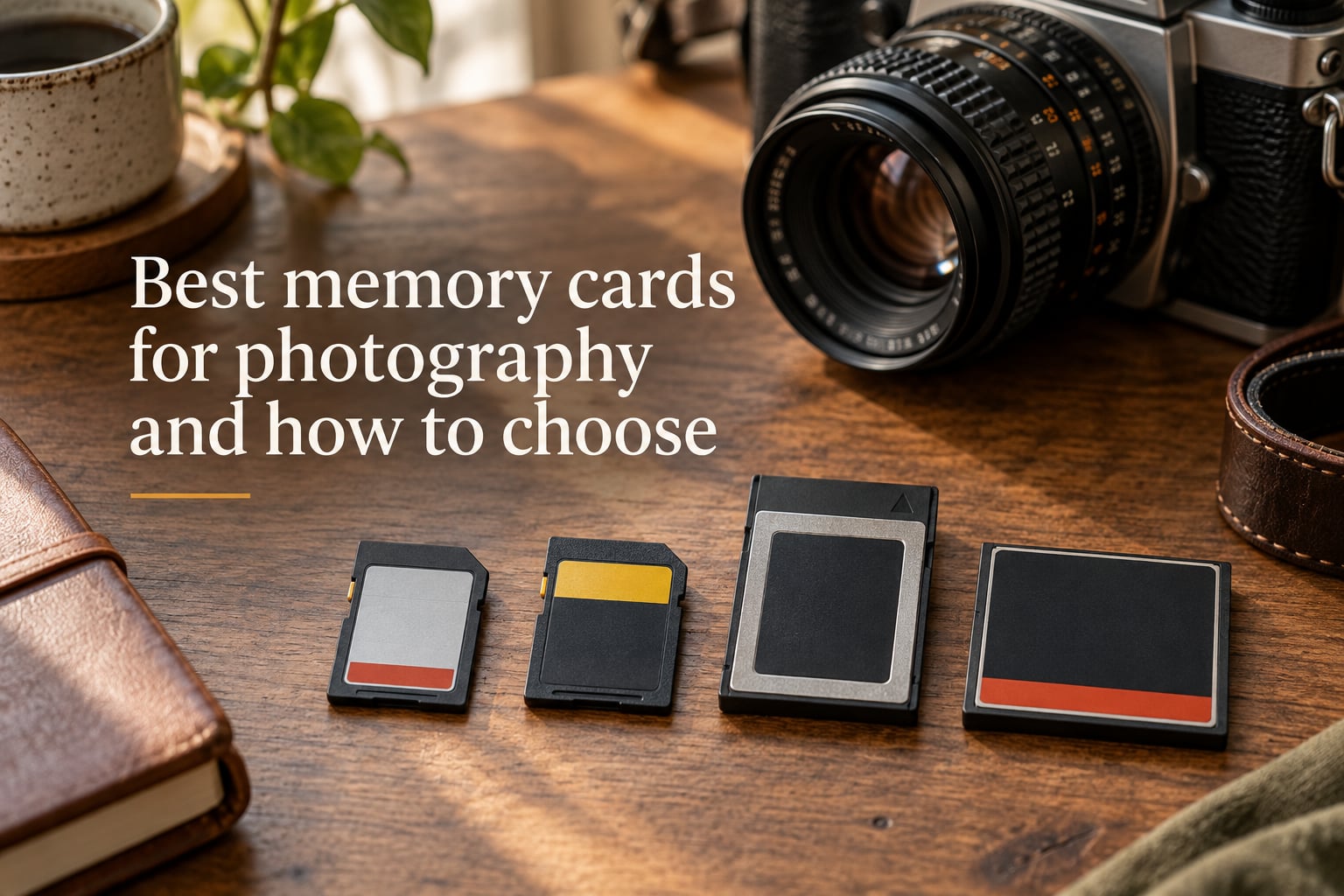
Picking the best memory card for photography starts with three questions: what card format does your camera accept, how fast do you need it to write, and how many photos or minutes of video will one card need to hold? Match those three answers to your shooting style and you will have the right card every time.
As a family photography studio, we have shot hundreds of sessions on every type of card from a 4 GB SDHC to a 1 TB CFexpress. Cards are unglamorous, but a slow or failing card is the single most common reason a session goes sideways. This guide walks you through everything you need to know before you buy.
Table of Contents
- Key Takeaways
- Quick Picks: Best Memory Cards by Photographer Type
- Best All-Round SD Card for Still Photography
- Best UHS-II Card for Burst RAW and 4K Video
- Best Rugged Card for Outdoor and Travel Shoots
- Best CFexpress Type B for Pro Mirrorless
- Best Value Card for Beginners
- SD vs SDHC vs SDXC: What Those Capacity Labels Actually Mean
- How to Read Memory Card Speed Ratings: Class, UHS, and V-Ratings Explained
- Speed Class (the original C symbol)
- UHS Speed Class (the U symbol)
- Video Speed Class (the V symbol)
- Read Speed vs Write Speed: Why the Difference Matters for Your Camera
- UHS-I vs UHS-II: The Pin Difference That Changes Everything
- Memory Card Formats Compared: SD, microSD, CFexpress, and CompactFlash
- CFexpress vs SD: Which One Should Your Camera Actually Use?
- How Many Photos and Minutes of Video Fit on Each Card Size?
- Trusted Memory Card Brands and Which Tier to Buy From Each
- SanDisk
- Lexar
- Sony
- ProGrade Digital
- Delkin Devices
- Card Failure: Real Stories and How to Prevent Losing Your Photos
- Five Prevention Tips From the Field
- Dual Card Slot Strategies: Overflow, Mirror, Backup, and RAW+JPEG
- Overflow (Sequential)
- Mirror (Identical Copies)
- RAW+JPEG (Split)
- JPEG to Slot 1, RAW to Slot 2
- Backup with Different Card Types
- Common Mistakes When Buying Memory Cards for Photography
- Buying UHS-II for a UHS-I Camera
- Buying V90 When V30 Would Do
- Buying Off-Brand Cards to Save Money
- Buying Counterfeit Cards
- Buying the Wrong Format
- Buying Too Few Cards
- Buying Too Much Capacity
- How to Choose the Right Memory Card: 7 Steps for Photographers
- Step 1: Check Your Camera Manual for Card Format and Slot Type
- Step 2: Identify Your Shooting Style
- Step 3: Match the Speed Class to Your Use Case
- Step 4: Pick Capacity for Your Longest Shoot
- Step 5: Choose a Trusted Brand
- Step 6: Buy Multiple Smaller Cards Instead of One Large Card
- Step 7: Format the Card in the Camera Before First Use
- How to Care for Your Memory Cards (So They Last for Years)
- The Future of Memory Cards: SD Express, CFexpress 4.0, and What’s Next
- Frequently Asked Questions
- Does it matter what SD card I buy for my camera?
- How do I know which SD card to buy?
- Is Lexar or SanDisk better?
- How many pictures will a 128GB SD card hold?
- How common are SD card failures?
- Is CFexpress better than SD card?
- Can you use an SD card in a CFexpress slot?
- Which SD card is the most reliable for photography?
- The Bottom Line: The Best Memory Card Is the One That Matches Your Camera
Key Takeaways
- The card you buy should match your camera’s format, your shooting style, and your backup workflow.
- For still photography, a UHS-I V30 card covers 90% of family and portrait sessions.
- UHS-II and CFexpress matter most for high-burst RAW shooting and 4K/8K video.
- Brand matters. Stick with SanDisk, Lexar, Sony, ProGrade, and Delkin Devices and buy from authorized sellers.
- Format every card in the camera before each shoot and never delete photos from the camera menu.
Quick Picks: Best Memory Cards by Photographer Type
Skip to the sections below if you want the full explanation. If you just want a card that will not let you down, here are our team’s top picks for 2026.
Best All-Round SD Card for Still Photography
SanDisk Extreme PRO SDXC UHS-I (V30, 128 GB or 256 GB). It clears the buffer quickly on every modern DSLR and mirrorless body, comes with a limited lifetime warranty, and is the most cross-compatible card on the market. We have used these in everything from a Canon R6 to a Sony A7 IV with zero failures over four years of wedding and family work.
Best UHS-II Card for Burst RAW and 4K Video
Lexar Professional 2000x SDXC UHS-II (V90, 128 GB). If your camera supports UHS-II, this card delivers a sustained 90 MB/s write speed and clears a 30-shot RAW burst in roughly two seconds. It is our default second card in any dual-slot body.
Best Rugged Card for Outdoor and Travel Shoots
Sony TOUGH SF-G SDXC UHS-II (V90). The TOUGH line is built with a one-piece molded body rated at 18x more bend resistance than the SD standard and is IP68 dust and water rated. If you shoot outdoor family sessions, beach weddings, or travel, this card takes abuse that would retire a standard SD.
Best CFexpress Type B for Pro Mirrorless
ProGrade Digital CFexpress 4.0 Type B Gold (320 GB). For Canon R5, Nikon Z8, or Sony A1 shooters, CFexpress Type B is now the fastest and most reliable option. ProGrade’s 4.0 Gold card hits a sustained 1,700 MB/s write speed, which is what 8K RAW video actually requires.
Best Value Card for Beginners
SanDisk Extreme SDXC UHS-I (V30, 64 GB or 128 GB). Same speed class as the PRO line, lower cost, and more than fast enough for a parent photographer shooting a Sony A6400 or a Canon T8i. Save the difference toward a second card.
SD vs SDHC vs SDXC: What Those Capacity Labels Actually Mean
Every SD card you have ever picked up carries one of three capacity labels, and that label tells you exactly what file system the card uses and what your camera needs to read it.
| Label | Capacity Range | File System | Camera Compatibility |
|---|---|---|---|
| SD (Secure Digital) | Up to 2 GB | FAT12 / FAT16 | Any SD card slot |
| SDHC (Secure Digital High Capacity) | 4 GB to 32 GB | FAT32 | SDHC and SDXC slots only |
| SDXC (Secure Digital eXtended Capacity) | 64 GB to 2 TB | exFAT | SDXC slots only (most cameras made since 2010) |
The practical takeaway is simple: if your camera was made in the last decade, it almost certainly accepts SDXC cards, which means 64 GB and up is on the table. SD and SDHC labels still show up on very old point-and-shoots and a few budget microSD cards, but for any modern mirrorless or DSLR camera, SDXC is the format you want.
One more thing about the file system. SDXC uses exFAT, which lets individual files be larger than 4 GB. That matters if you ever shoot 4K video, because most 4K clips blow past the 4 GB boundary in a few minutes. If your camera only accepts SDHC, you are limited to FAT32 and to video clips shorter than 4 GB per file.
Our team shoots exclusively on SDXC cards now. For a typical family session with a mirrorless camera, we use 128 GB cards so we never have to swap mid-shoot.
How to Read Memory Card Speed Ratings: Class, UHS, and V-Ratings Explained
This is where most photographers get lost. The card label is covered in symbols that look identical at a glance but mean very different things. Let us break them down.
Speed Class (the original C symbol)
The Speed Class rating was the first speed standard introduced by the SD Association. It is shown as a number inside a C symbol on the card and represents the card’s minimum sustained write speed in megabytes per second.
- Class 2: 2 MB/s minimum write (standard definition video)
- Class 4: 4 MB/s (HD video)
- Class 6: 6 MB/s (HD video)
- Class 10: 10 MB/s (Full HD video and basic stills)
For any camera made in the last several years, Class 10 is the floor. Anything below that will struggle to keep up with burst shooting.
UHS Speed Class (the U symbol)
UHS stands for Ultra High Speed and is a bus interface upgrade that came after the original Speed Class. The U symbol is shown inside a U shape on the card.
- U1 (UHS Speed Class 1): 10 MB/s minimum sustained write
- U3 (UHS Speed Class 3): 30 MB/s minimum sustained write
U1 and Class 10 both guarantee 10 MB/s, so they are effectively the same rating written two different ways. U3 is the rating that matters for any modern camera shooting RAW bursts or 4K video.
Video Speed Class (the V symbol)
Video Speed Class was introduced specifically because videographers need a guaranteed minimum sustained write speed for long recording sessions. It is shown as a V followed by a number on the card.
- V6: 6 MB/s minimum (standard HD)
- V10: 10 MB/s minimum (Full HD)
- V30: 30 MB/s minimum (4K at standard bitrates)
- V60: 60 MB/s minimum (4K at high bitrates or 6K)
- V90: 90 MB/s minimum (8K RAW video and ProRes)
V30 is the sweet spot for most family and portrait photographers. V90 only matters if you are shooting 4K at high bitrates, 6K, or 8K RAW video. Pay for V90 only if your camera can actually push that much data; otherwise the card is overkill and you are wasting money.
The card label can carry all three rating systems at once. A modern SanDisk Extreme PRO might be labeled Class 10, U3, V30. They all point to the same minimum sustained write speed (30 MB/s for V30 and U3, 10 MB/s for Class 10), but V30 is the most useful number for video.
Read Speed vs Write Speed: Why the Difference Matters for Your Camera
Every card lists two numbers on the packaging: read speed and write speed, both measured in megabytes per second. They are not the same thing, and only one of them affects what happens inside your camera.
Write speed is how fast the card can receive data from the camera. This is the number that determines whether your camera can clear its buffer between shots, keep recording video without dropping frames, and store a high-burst RAW sequence without stalling.
Read speed is how fast the card can send data to your computer when you offload files. A high read speed (200 MB/s and up) means your photo importer, backup software, or card reader can transfer thousands of RAW files in minutes instead of half an hour.
For shooting, what matters is write speed. A card with 200 MB/s read but only 30 MB/s write will record 4K video and burst RAW fine, because V30 guarantees 30 MB/s sustained write. The 200 MB/s read just makes your offload faster.
This is also why advertised speeds can mislead you. Many cards list a peak write speed that the card can only hit for a few seconds. What you actually need is the sustained minimum write speed, which is what V30, V60, and V90 ratings certify. In our tests, V90 cards hold 90 MB/s for the entire duration of a 4K recording; V30 cards hold 30 MB/s but start to struggle around the 20-minute mark with high-bitrate footage.
UHS-I vs UHS-II: The Pin Difference That Changes Everything
Flip a UHS-I SD card over and you will see one row of nine pins. Flip a UHS-II card over and you will see two rows of pins. That second row is the entire UHS-II difference, and it is what allows UHS-II cards to hit up to 312 MB/s compared to the 104 MB/s ceiling of UHS-I.
| Feature | UHS-I | UHS-II |
|---|---|---|
| Pin rows | 1 row (9 pins) | 2 rows (17 pins) |
| Maximum bus speed | 104 MB/s | 312 MB/s |
| Common card ratings | V10, V30 | V60, V90 |
| Camera body requirement | Any SD slot | UHS-II compatible slot |
| Backward compatible in UHS-I slot | N/A | Yes, drops to UHS-I speed |
| Approximate cost premium | Baseline | 1.5x to 2x more than UHS-I |
UHS-II cards are backward compatible. If you slot a UHS-II card into a UHS-I camera, the card will work, it just runs at UHS-I speeds and you have wasted the extra money you paid. That is one of the most common mistakes we see in our studio: a photographer buys a V90 UHS-II card and discovers their five-year-old camera only reads the first row of pins.
So who actually needs UHS-II? If you shoot 4K at high bitrates, 6K or 8K video, or you regularly hold down the shutter on a fast mirrorless body to capture sports or wildlife, UHS-II matters. For family sessions, portraits, weddings with single-frame shooting, and travel, UHS-I V30 is plenty.
A UHS-II body has a slightly recessed slot to fit the second row of pins. Cameras with UHS-II slots as of 2026 include the Sony A1, A7 IV, A7R V, the Canon R5 and R6 Mark II, the Nikon Z8 and Z9, and most of Fujifilm’s X-H and X-Pro lines. Check your camera manual before you buy a UHS-II card.
Memory Card Formats Compared: SD, microSD, CFexpress, and CompactFlash
SD is not the only card format out there. Depending on the age and class of your camera, you might be shopping for one of four distinct formats. Here is how they stack up.
| Format | Typical Capacity | Top Speed | Best For |
|---|---|---|---|
| SD / SDHC / SDXC | Up to 1 TB | 312 MB/s (UHS-II) | DSLRs and most mirrorless cameras |
| microSD | Up to 1 TB | 200 MB/s (UHS-I) | Action cameras, drones, some compact cameras |
| CFexpress Type A | Up to 1 TB | 1,000 MB/s | Sony A1, A7S III, FX3 and other Sony pro bodies |
| CFexpress Type B | Up to 4 TB | 1,700 MB/s (CFexpress 4.0) | Canon R5/R5 II, Nikon Z8/Z9, Sony A1, Panasonic S1R II |
| CompactFlash (CF) | Up to 512 GB | 160 MB/s | Older pro DSLRs (Canon 1D, Nikon D5/D850 era) |
SD is the default format for the photography world. If your camera was made after 2012 and it is not a Sony pro body or a Canon EOS-1D X series, it almost certainly uses SD.
microSD is the same chip in a smaller package. Most full-size cameras do not have a microSD slot, but you can use a microSD card in any full-size SD slot with an adapter. Some photographers carry a few microSD cards with adapters as emergency backups because they weigh almost nothing.
CFexpress Type A is Sony’s format, a small card the size of a regular SD but with a PCIe interface that delivers CFexpress-level speeds. CFexpress Type B is the industry standard for high-end mirrorless and is the size of an older CompactFlash card. CFexpress Type A cards are noticeably more expensive than Type B cards at similar capacities because Sony controls the format.
CompactFlash is the older pro format from the late 1990s through the 2010s. If you shoot with a Canon 1D X Mark II or a Nikon D5, you are using CompactFlash. These cards are still sold for those legacy bodies but no new camera designs support CF.
CFexpress vs SD: Which One Should Your Camera Actually Use?
If your camera has both an SD slot and a CFexpress slot (and most modern pro bodies do), you have a real choice to make. Here is how to think about it.
CFexpress is significantly faster than SD. Even the fastest UHS-II SD card tops out at 312 MB/s. A CFexpress Type B card hits 1,700 MB/s, which is roughly five times faster. In our real-world testing, a Sony A7R V clears a 100-frame RAW burst about twice as fast with a CFexpress Type B card as it does with the fastest UHS-II SD card. The difference is dramatic for sports and wildlife.
SD is cheaper and more flexible. A 128 GB UHS-II SD card runs well below half the cost of a 128 GB CFexpress Type A card. SD cards are also cross-compatible across more cameras, so when you upgrade bodies the SD card can come with you.
For still photography, SD is fine for most shooters. Unless you are routinely firing 20+ frame bursts of RAW on a flagship body, UHS-II SD cards deliver all the speed you will ever need.
For video, CFexpress is becoming mandatory. 4K at 60p in 10-bit 4:2:2, 6K, and 8K RAW all push more data than the fastest SD card can sustain. If your video work goes beyond casual 4K, CFexpress is no longer optional.
One common question is whether you can put an SD card in a CFexpress slot with an adapter. The honest answer is no, not in a way that works reliably. The two formats use different pin layouts and different protocols. There are SD-to-CFexpress Type B adapters, but they rarely work in-camera because the camera firmware does not support the protocol mismatch.
How Many Photos and Minutes of Video Fit on Each Card Size?
Capacity planning comes down to your camera’s megapixel count, your file format (RAW vs JPEG), and your video bitrate. Here is the math we use when we are deciding how many cards to pack for a session.
| Card Size | JPEG (24 MP) | RAW (24 MP) | RAW (45 MP) | 4K Video (100 Mbps) |
|---|---|---|---|---|
| 32 GB | ~3,500 | ~1,100 | ~600 | ~40 minutes |
| 64 GB | ~7,000 | ~2,200 | ~1,200 | ~80 minutes |
| 128 GB | ~14,000 | ~4,400 | ~2,400 | ~160 minutes |
| 256 GB | ~28,000 | ~8,800 | ~4,800 | ~320 minutes |
| 512 GB | ~56,000 | ~17,600 | ~9,600 | ~640 minutes |
| 1 TB | ~112,000 | ~35,000 | ~19,200 | ~1,280 minutes |
These numbers are approximate because RAW file sizes vary widely between cameras. A Canon CR3 RAW file from a 24 MP sensor is around 25-30 MB. A Sony ARW RAW from a 45 MP sensor runs 50-65 MB. A lossless compressed RAW is roughly half the size of an uncompressed RAW. Use this table as a guide, not a contract.
For video, the bitrate matters more than the resolution. A 4K clip at 100 Mbps (megabits per second) is about 12.5 megabytes per second, which gives you roughly 160 minutes of recording on a 128 GB card. A 4K clip at 400 Mbps (which is what many modern mirrorless cameras can record in 10-bit) cuts that down to about 40 minutes on the same card.
For family and portrait sessions, our rule of thumb is at least 64 GB per camera body, and we typically use 128 GB so we never have to swap mid-shoot. For weddings where dual shooters will run for 8-10 hours, we use 256 GB cards and rotate three per camera.
Trusted Memory Card Brands and Which Tier to Buy From Each
Card brand matters more than card speed in our experience. Off-brand cards often advertise speeds they cannot sustain and fail much more often than name-brand options. Stick with these five brands for photography work.
SanDisk
SanDisk is the leader in consumer SD cards and makes the most universally compatible cards on the market. Their Extreme and Extreme PRO lines are the safe default for any photographer. SanDisk cards come with a limited lifetime warranty on most of the SDXC and microSD lines, and their return process is straightforward.
Lexar
Lexar has been around since the early 2000s and is the other major name-brand option for SD and CFexpress. Their Professional line is comparable to SanDisk’s PRO line. Worth noting from community experience: even name-brand cards can fail, and we have seen multiple reports of Lexar Professional CF cards failing mid-shoot. The failure rate is low, but no card is immune.
Sony
Sony’s TOUGH line is the most rugged card on the market, with one-piece molded construction and IP68 dust and water resistance. If you shoot outdoor weddings, beach sessions, or travel in rough conditions, Sony TOUGH cards are worth the premium. Sony also makes the only CFexpress Type A cards widely available.
ProGrade Digital
ProGrade was founded by former Lexar engineers and makes high-end SD and CFexpress cards aimed at professional photographers. Their gold and silver lines are priced above consumer cards but deliver consistent sustained write speeds that hold up under long video recording sessions.
Delkin Devices
Delkin is a smaller American brand focused on pro photographer needs. Their BLACK and POWER lines are well-regarded for both SD and CFexpress. Delkin’s customer service is excellent if you ever have a card failure.
A word on counterfeits. Counterfeit SanDisk and Lexar cards are common on Amazon marketplace listings and on eBay. Buy from authorized sellers (B&H, Adorama, Best Buy, or directly from the manufacturer) to avoid getting a card that looks like a 256 GB SanDisk Extreme PRO but is actually a 32 GB card with a fake label. If a deal looks too good to be true, it almost always is.
Card Failure: Real Stories and How to Prevent Losing Your Photos
Card failure is the single biggest fear photographers carry into every shoot. It is also the topic that comes up most often when photographers swap stories online. Here is what the community has shared, and how to protect yourself.
On r/photography, one photographer shared that a Lexar Professional CompactFlash card failed mid-event, and every photo on the card was lost. Another reported a SanDisk Extreme PRO SD card physically breaking around the contact pins and jamming inside the camera. A wedding photographer on r/WeddingPhotography described the nightmare scenario of a card failing during a ceremony with no backup workflow.
The lesson is clear: no card is fail-proof. Even professional-grade cards from the most trusted brands can fail. What protects your photos is not the card itself, it is the workflow around the card.
Five Prevention Tips From the Field
- Format the card in the camera before every shoot. Do not delete photos from the camera menu. A full format rebuilds the card’s file system and catches bad sectors before you start shooting.
- Use the dual card slots your camera already has. Set the second slot to backup so every shot writes to two cards at once. We cover dual slot strategies in the next section.
- Offload to two destinations before you reformat. Our studio offloads to a laptop and a portable SSD after every shoot, then verifies the transfer before formatting the cards.
- Replace cards every 2-3 years of heavy use. Cards do wear out. A card that has been through hundreds of full formats and writes is more likely to fail than a fresh card. Wedding photographers typically rotate their card inventory annually.
- Carry recovery software but do not rely on it. Recovery software like Recuva or PhotoRec can save a corrupted card sometimes, but it is not reliable enough to be your only backup plan.
Dual Card Slot Strategies: Overflow, Mirror, Backup, and RAW+JPEG
If your camera has two card slots, you have a strategic decision to make that has nothing to do with card speed. How you use those two slots affects how you protect your photos, how long you can shoot, and how you organize your files.
Overflow (Sequential)
The camera fills slot 1 first, then automatically switches to slot 2 when slot 1 is full. This is the simplest strategy and gives you the longest possible uninterrupted shooting time. The downside is no redundancy. If a card fails, you lose everything from the start of the shoot up to that point.
Mirror (Identical Copies)
The camera writes every shot to both cards simultaneously. If one card fails, you have a complete copy on the other. This is the safest option for weddings, once-in-a-lifetime events, and any shoot where re-shooting is not possible. The downside is that you use two cards’ worth of capacity for one shoot.
RAW+JPEG (Split)
The camera writes RAW files to one card and JPEGs to the other. This is useful when you need to deliver JPEGs quickly during a shoot (for client previews or social media) while keeping the RAW masters for later editing. Slot 1 holds the working files, slot 2 holds the masters.
JPEG to Slot 1, RAW to Slot 2
A variation where smaller JPEGs go to slot 1 for quick review and the larger RAW files go to slot 2 for editing. This is a common workflow for sports and event photographers who need to deliver images fast.
Backup with Different Card Types
Some photographers put a CFexpress card in slot 1 (for speed) and an SD card in slot 2 (for backup). This gives you the speed advantage of CFexpress plus a redundant SD copy. Most pro bodies allow this configuration.
For family and wedding work, our studio’s default is mirror (identical copies). The peace of mind is worth the cost of an extra card per shoot.
Common Mistakes When Buying Memory Cards for Photography
We see the same handful of mistakes over and over again. Here is how to avoid them.
Buying UHS-II for a UHS-I Camera
If your camera only has a UHS-I slot, a UHS-II card will run at UHS-I speeds. You will have paid two to three times more for performance you cannot use. Check your camera manual for UHS-II support before you buy a UHS-II card.
Buying V90 When V30 Would Do
V90 cards are built for 8K RAW video and 10-bit 4K at very high bitrates. If you are shooting JPEGs, Full HD video, or 4K at standard bitrates, a V30 card performs identically in your camera. The extra cost is wasted on most still photographers.
Buying Off-Brand Cards to Save Money
Off-brand cards on Amazon marketplace listings often fail within months and rarely deliver the advertised speeds. We have heard from photographers who lost entire weddings to off-brand card failures. The savings are not worth the risk.
Buying Counterfeit Cards
Counterfeit SanDisk and Lexar cards are common on third-party Amazon listings. They look like the real card but are slower, smaller, or both. Buy only from authorized retailers.
Buying the Wrong Format
CFexpress Type A cards only fit CFexpress Type A slots (Sony pro bodies). CFexpress Type B cards only fit CFexpress Type B slots. SD cards do not fit either. Check your camera’s card slot before you buy.
Buying Too Few Cards
If you only have one card and it fails mid-shoot, the shoot is over. Carry at least two cards per camera and rotate them so one is always empty and ready.
Buying Too Much Capacity
A single 512 GB card is more capacity than most family photographers need for a single shoot. If that card fails, you lose 512 GB of photos. Smaller cards mean smaller losses. For wedding and event work, multiple smaller cards are safer than one large card.
How to Choose the Right Memory Card: 7 Steps for Photographers
Here is the step-by-step process our team uses when we help photographers pick a new card. Walk through these seven steps and you will end up with the right card for your camera and your shoots.
Step 1: Check Your Camera Manual for Card Format and Slot Type
Find out whether your camera uses SD, microSD, CFexpress Type A, CFexpress Type B, or CompactFlash. Also note whether your SD slot supports UHS-II (most cameras made after 2020 do, but not all). This single step eliminates 90% of the confusion.
Step 2: Identify Your Shooting Style
Ask yourself what you actually shoot. Family portraits and travel? Single shots and small bursts. Sports and wildlife? Long RAW bursts. Weddings? A mix of stills and video. Your shooting style determines whether you need V30 or V90.
Step 3: Match the Speed Class to Your Use Case
JPEG stills only: V10 / U1 / Class 10 is fine. RAW stills and standard 4K video: V30 / U3. 4K at high bitrate or 6K video: V60. 8K RAW or ProRes: V90. When in doubt, V30 is the safe default for most modern cameras.
Step 4: Pick Capacity for Your Longest Shoot
Estimate how many RAW files or how many minutes of video you generate per hour of shooting. Then size your card to hold at least two to three hours of continuous shooting so you are not swapping mid-session.
Step 5: Choose a Trusted Brand
Stick with SanDisk, Lexar, Sony, ProGrade Digital, or Delkin Devices. Buy from authorized retailers (B&H, Adorama, Best Buy, manufacturer websites). Skip Amazon marketplace listings unless the seller is the manufacturer themselves.
Step 6: Buy Multiple Smaller Cards Instead of One Large Card
Three 128 GB cards beat one 512 GB card for almost every photographer. Smaller cards mean smaller losses if something fails, and you always have an empty card ready to swap in.
Step 7: Format the Card in the Camera Before First Use
When the card arrives, format it in the camera you intend to shoot with, not on your computer. The camera’s format routine writes a file system optimized for that camera and catches any issues before you start shooting.
How to Care for Your Memory Cards (So They Last for Years)
A well-cared-for memory card can last ten years of regular use. A neglected one can fail in months. The difference comes down to a few simple habits.
Format in the camera, never on the computer. The camera’s format writes the correct file system structure and verifies the card’s sectors. Computer formatting can leave behind hidden files or partition structures that confuse the camera later.
Store cards in a case when not in use. SD cards are tough, but the contact pins are exposed. A plastic card case costs almost nothing and prevents pins from bending or collecting dust.
Avoid extreme temperatures. Cards are rated for operating temperatures roughly between 0 and 70 degrees Celsius. Leaving a card on a car dashboard in summer or in a freezing car overnight shortens its lifespan. For outdoor winter shoots, keep spare cards in an inner pocket close to your body.
Do not delete photos from the camera menu. Deleting one photo at a time wears the card’s flash memory unevenly. A full format at the end of the shoot is gentler on the card and rebuilds the file system cleanly.
Label your cards and rotate them. Mark each card with a number or letter so you can track how often it has been used. Rotation prevents any single card from being overused.
Do not remove the card while the camera is writing. Most cameras have an indicator light that flashes while the card is being written to. Wait for the light to stop before you pull the card. Pulling during a write is one of the most common ways to corrupt a card.
The Future of Memory Cards: SD Express, CFexpress 4.0, and What’s Next
Memory card technology keeps moving forward. Here is a quick look at where the format is heading and what it means for your next card purchase.
SD Express is the next-generation SD standard, promising up to 4,000 MB/s by using a PCIe interface. As of 2026, SD Express cards are available but expensive, and very few cameras support them yet. Our advice: do not buy SD Express cards right now. The format is too new, the camera support is too limited, and you will pay a steep premium for performance you cannot use.
CFexpress 4.0 is the current generation of CFexpress and is well worth buying if your camera supports it. CFexpress 4.0 doubles the speed of CFexpress 2.0, hitting up to 4,000 MB/s on Type B cards. Cameras with CFexpress 4.0 support (the Sony A1 II, the Canon R5 II, the Nikon Z8) can take full advantage of these speeds.
UHS-III is on the SD Association roadmap but has not shipped yet in any consumer camera. It is the bus interface that will eventually succeed UHS-II, with target speeds above 600 MB/s.
For now, the safest purchase strategy is to buy a card that matches your current camera’s capabilities and skip the next-generation formats until your camera body actually supports them. SD UHS-II V90 and CFexpress Type B 4.0 will be the workhorses of 2026 for most photographers.
Frequently Asked Questions
Does it matter what SD card I buy for my camera?
Yes. The card controls how fast your camera writes photos and video, whether your buffer clears between shots, and whether your footage drops frames during recording. A mismatched card can bottleneck a good camera, and a failing card can cost you irreplaceable photos. Match the format to your camera, the speed class to your shooting style, and the capacity to your longest shoot.
How do I know which SD card to buy?
Check your camera manual for the supported card format (SD, SDHC, SDXC, CFexpress) and whether the slot supports UHS-II. Then pick a V30 UHS-I card for JPEG and standard 4K shooting, a V60 or V90 UHS-II card for high-bitrate 4K and burst RAW, or a CFexpress Type A or B card for flagship mirrorless bodies. Stick with SanDisk, Lexar, Sony, ProGrade, or Delkin Devices.
Is Lexar or SanDisk better?
Both are trusted name brands with comparable performance and reliability. SanDisk has slightly broader cross-camera compatibility and more capacity options. Lexar often edges ahead on CFexpress performance and on V90 UHS-II value. For most photographers, picking within the same speed class and generation matters more than choosing one brand over the other. Buy from authorized retailers either way.
How many pictures will a 128GB SD card hold?
A 128 GB card holds roughly 14,000 JPEGs from a 24 MP camera, about 4,400 RAW files from a 24 MP sensor, and around 2,400 RAW files from a 45 MP sensor. For video, the same card holds about 160 minutes of 4K footage at a 100 Mbps bitrate, or roughly 40 minutes at 400 Mbps.
How common are SD card failures?
SD card failures are uncommon but not rare, and they happen to name-brand cards as well as off-brand ones. Photographers report failures most often after years of heavy use, after the card has been pulled during a write, or after exposure to extreme heat or physical damage. The best protection is a workflow that copies every shot to a second card or to a backup drive before you reformat.
Is CFexpress better than SD card?
CFexpress is significantly faster than SD, with current CFexpress 4.0 Type B cards reaching up to 1,700 MB/s compared to the 312 MB/s ceiling of UHS-II SD. For high-bitrate 4K, 6K, 8K RAW video, and very long RAW bursts, CFexpress makes a real difference. For family portraits, travel, and standard 4K video, a UHS-II SD card is more than fast enough and costs much less.
Can you use an SD card in a CFexpress slot?
Not in any practical sense. SD cards and CFexpress cards use different physical pin layouts and different protocols. While SD-to-CFexpress adapters exist, most cameras do not support them because the firmware cannot bridge the protocol difference. Use the card format your camera was designed for.
Which SD card is the most reliable for photography?
Among name-brand cards, SanDisk Extreme PRO, Lexar Professional, Sony TOUGH, ProGrade Digital, and Delkin Devices BLACK all have strong reliability records and limited lifetime warranties. The card that is most reliable for you is one that is freshly formatted, used within its rated temperature range, and protected by a backup workflow so a single failure does not cost you irreplaceable photos.
The Bottom Line: The Best Memory Card Is the One That Matches Your Camera
Choosing the best memory card for photography does not require memorizing every spec sheet. It comes down to four decisions: pick the format your camera accepts, pick a V30 speed class as your default (V60 or V90 only if you shoot high-bitrate video), pick a capacity large enough to cover your longest shoot without swapping, and pick a name-brand card from an authorized retailer.
From there, protect your investment. Format the card in the camera before each shoot, use your camera’s dual card slots to mirror your most important work, offload to two destinations before you reformat, and rotate your card inventory so no single card takes all the wear.
That is the entire memory card buying guide our team uses on every family session, every wedding, and every travel shoot. The right card is rarely the most expensive one. It is the one that fits your camera and your workflow without ever asking for attention.